 Veilix Lab
Личные проекты: iOS, Android, ESP32Side projects: iOS, Android, ESP32
Veilix Lab — девять небольших проектов одного разработчика: инструменты для видеопродакшна, приватности и сетевой диагностики, музыки, плёночной фотографии и винила. Восемь опубликованы в App Store, первый вышел в 2018 году; два открыты на GitHub.Veilix Lab is nine small projects by one developer: tools for video production, privacy and network diagnostics, music, film photography and vinyl. Eight are on the App Store, the first released in 2018; two are open source on GitHub.
Внутри: сетевые протоколы оборудования поверх UDP и TCP, стеганография и шифрование, распознавание музыки и высоты звука, сканеры сети и Bluetooth, языковая модель на устройстве, прошивка для ESP32.Inside: hardware network protocols over UDP and TCP, steganography and encryption, music and pitch recognition, network and Bluetooth scanners, an on-device language model, firmware for ESP32.
ВидеопродакшнVideo production
 ATEM ControlПульт для видеомикшеров Blackmagic ATEM.A control surface for Blackmagic ATEM switchers.Swift · SwiftUI · Network.framework · UDPiPhoneApp Store, 2019
 VideoHub ControlПульт для матриц Blackmagic Videohub и AJA KUMO.A remote for Blackmagic Videohub and AJA KUMO routers.Swift · UIKit · Network.framework · TCPiPhone · iPadApp Store, 2018
 ATEM TallyСигнал эфира для оператора камеры.A tally light for the camera operator.Swift · SwiftUI · watchOS · BonjouriPhone · Apple WatchApp Store, 2020
Приватность и безопасностьPrivacy and security
VeilixСекреты внутри обычных фотографий.Secrets inside ordinary photos.Swift · SwiftUI · Kotlin · ComposeiPhone · iPad · AndroidApp Store, 2026
 Probe LabСеть, Bluetooth, ссылки и соединение под рукой.Network, Bluetooth, links and the connection at hand.Swift · SwiftUI · CoreBluetooth · llama.cppiPhoneApp Store, 2026
 SpectraWi-Fi, Bluetooth и LoRa с сенсором на ESP32.Wi-Fi, Bluetooth and LoRa with an ESP32 sensor.Swift · Kotlin · C++ · BLE GATTiOS · Android · ESP32GitHub, MIT
Музыка, фото и винилMusic, photo and vinyl
 CoverCastNow Playing для винила.Now Playing for vinyl.Swift · SwiftData · ShazamKit · KotliniPhone · iPad · Apple TV · Android TVApp Store, 2026
 Учить НотыLearn NotesНотный стан, пианино, слух и гитара.Staff, piano, ear and guitar.Swift · SwiftUI · AVFoundation · AccelerateiPhone · iPadApp Store, 2019
 Film Photo LoggerЖурнал плёночного фотографа.A notebook for film photographers.Swift · UIKit · Core Data · CloudKitiPhone · iPadApp Store, 2023
Veilix
Секреты внутри обычных фотографий.Secrets inside ordinary photos.
- ПлатформыPlatforms
- iPhone, iPad, Android
- СтекStack
- Swift, SwiftUI · Kotlin, Jetpack Compose
- ПубликацияReleased
- App Store с 2026 года; APK в релизах на GitHubApp Store since 2026; APK in GitHub releases
- КодCode
- Android-версия открыта, GPL-3.0The Android version is open source, GPL-3.0
Veilix прячет текст или файл в обычной фотографии. Картинка выглядит как прежде и открывается где угодно, а прочитать скрытое может только тот, у кого есть пароль.Veilix hides text or a file inside an ordinary photo. The picture looks the same and opens anywhere, and only someone with the password can read what is inside.
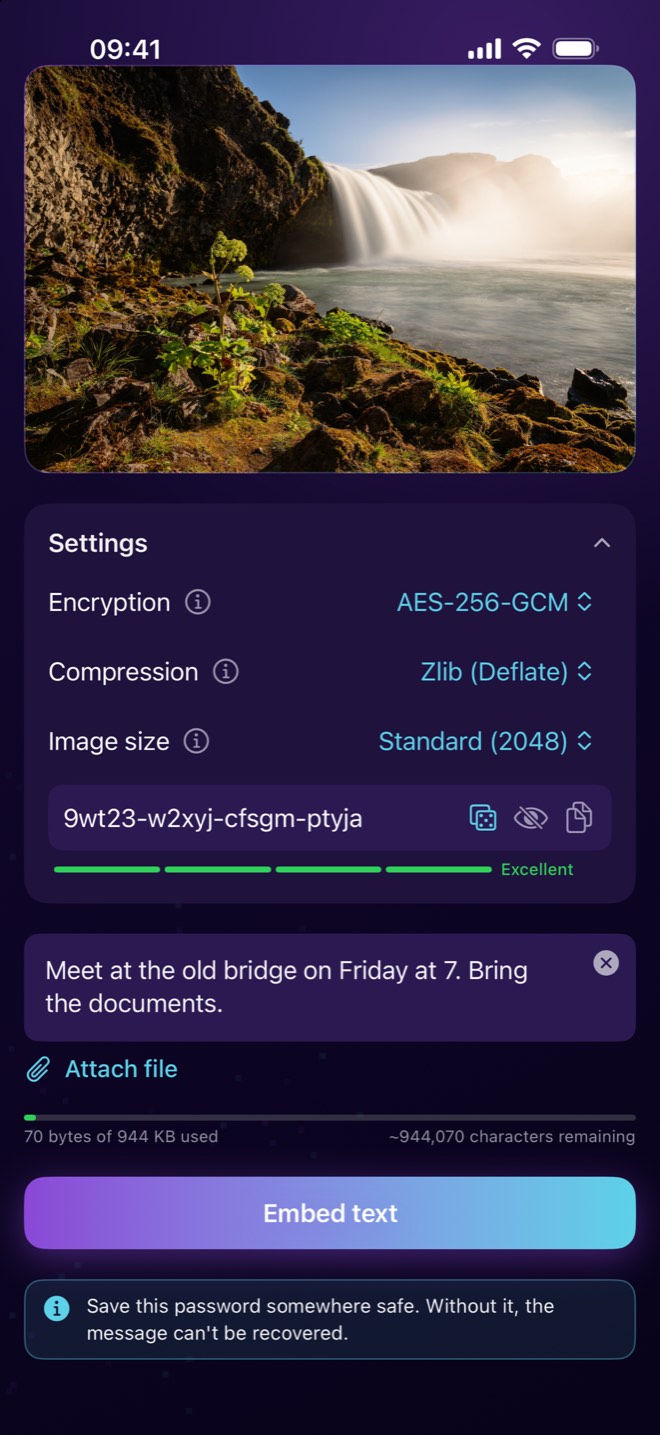
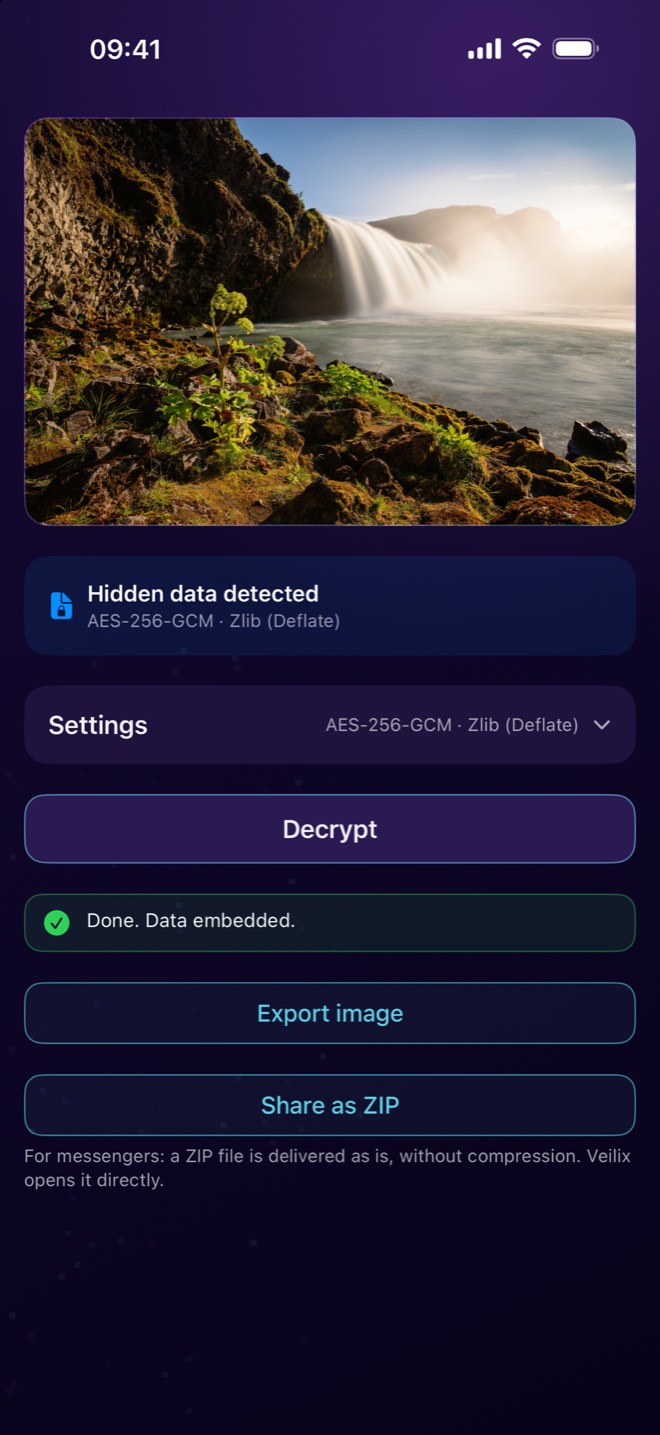
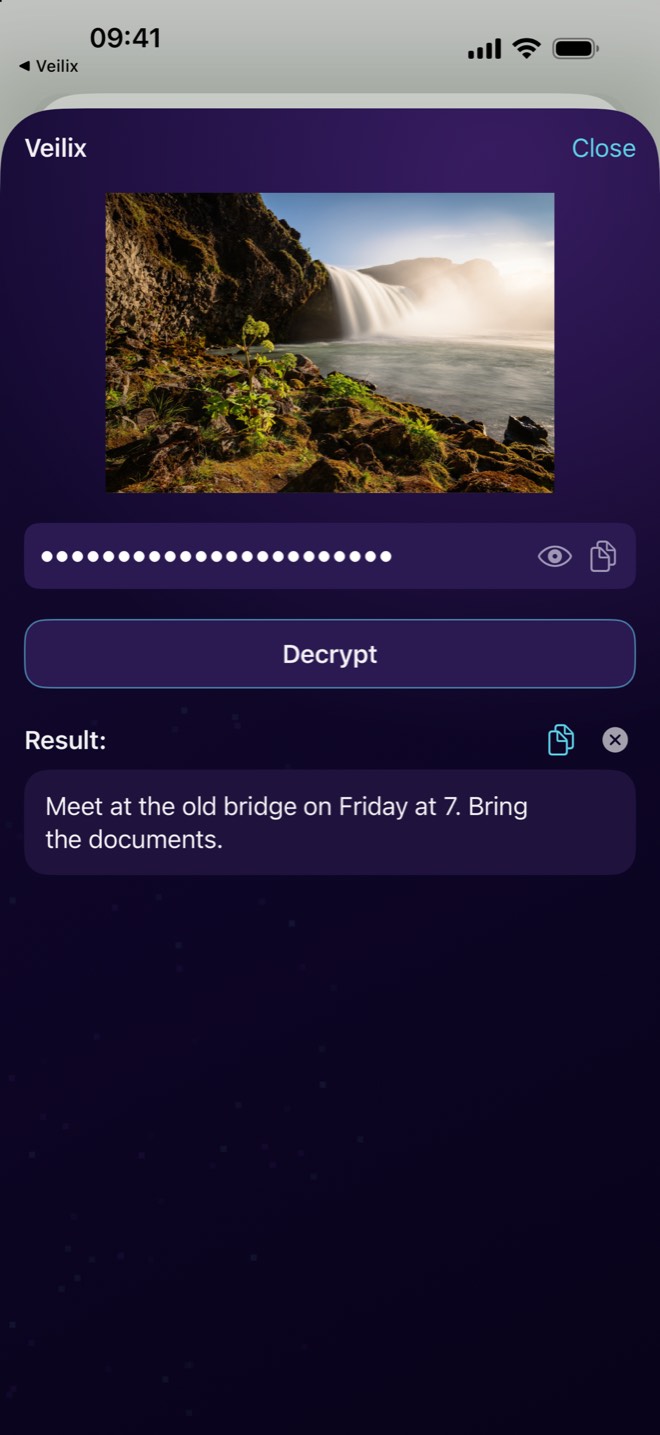
Спрятать сообщение, отправить как ZIP, прочитать из меню «Поделиться».
Hide a message, send it as a ZIP, read it from the Share menu.
Что умеетWhat it does
- В картинке с паролем нет метки, заголовка и длины, которые можно прочитать. Без пароля даже Veilix не отличит её от обычного фото.A password-protected image has no readable marker, header or length. Without the password, even Veilix cannot tell it from an ordinary photo.
- Всё происходит на устройстве: без аккаунта, серверов и аналитики. У Android-версии нет доступа в интернет.Everything happens on the device, with no account, no servers and no analytics. The Android version has no internet access at all.
- Экспортированная картинка не несёт метаданных исходного фото, например геопозиции, и получает нейтральное имя вроде
IMG_1234.png.Exported images do not carry the original photo's metadata, such as location, and get neutral names likeIMG_1234.png. - Отправка в ZIP: мессенджеры пережимают картинки, но не файлы.Sharing as a ZIP: messengers recompress pictures, but not files.
Как устроеноHow it's built
- Биты пишутся в младшие разряды пикселей методом LSB matching: значение меняется на ±1, а не перезаписывается. Позиции выбирает поток AES-256-CTR от ключа из пароля.Bits go into the least significant bits of the pixels by LSB matching: a value changes by ±1 instead of being overwritten. The positions come from an AES-256-CTR stream keyed by the password.
- Ключи: PBKDF2-HMAC-SHA256 с 600 000 раундов, затем HKDF на отдельные ключи для метаданных, тела и позиций. Шифр: AES-256-GCM или ChaCha20-Poly1305.Keys: PBKDF2-HMAC-SHA256 with 600,000 rounds, then HKDF into separate keys for metadata, body and positions. Cipher: AES-256-GCM or ChaCha20-Poly1305.
- Формат один для iOS и Android и описан в открытом документе. Версии читают картинки друг друга и проверяются на общих тест-векторах.One format for iOS and Android, described in a public document. The two apps read each other's images and are checked against shared test vectors.
- После экспорта картинка читается обратно, чтобы убедиться, что данные на месте.After export the image is read back to make sure the data is really there.
- Релиз Android собирается и подписывается в GitHub Actions по тегу.The Android release is built and signed by GitHub Actions from a tag.
ATEM Control
Пульт для видеомикшеров Blackmagic ATEM.A control surface for Blackmagic ATEM switchers.
- ПлатформыPlatforms
- iPhone, iOS 15+
- ОборудованиеHardware
- ATEM Mini, Television Studio, Constellation
- СтекStack
- Swift, SwiftUI, Network.framework; без сторонних библиотекSwift, SwiftUI, Network.framework; no third-party libraries
- ПубликацияReleased
- App Store с 2019 годаApp Store since 2019
Управляет видеомикшером по локальной сети: переключить program, подмешать звук, подправить камеру, запустить макрос и передать сигнал оператору. Экран не гаснет всю передачу.Drives the switcher over the local network: cut the program, ride the audio, shade a camera, fire a macro and cue a camera operator. The screen stays awake for the whole show.
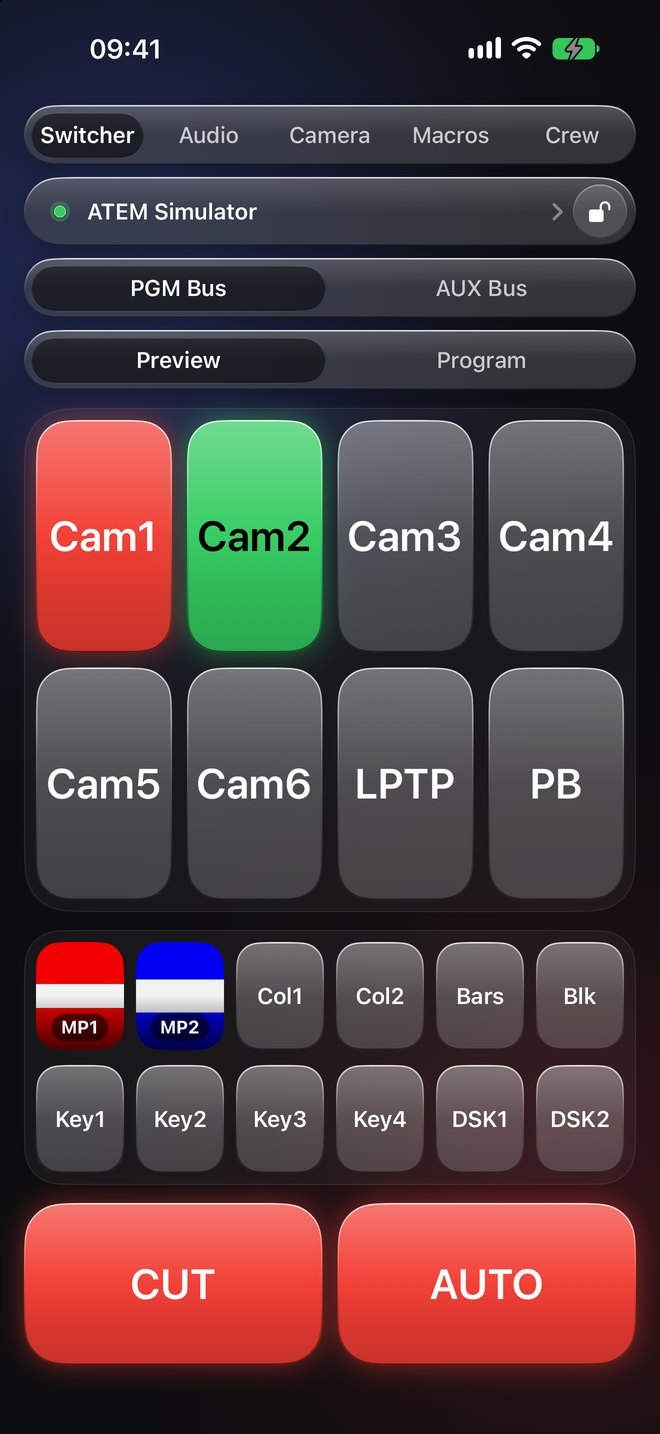
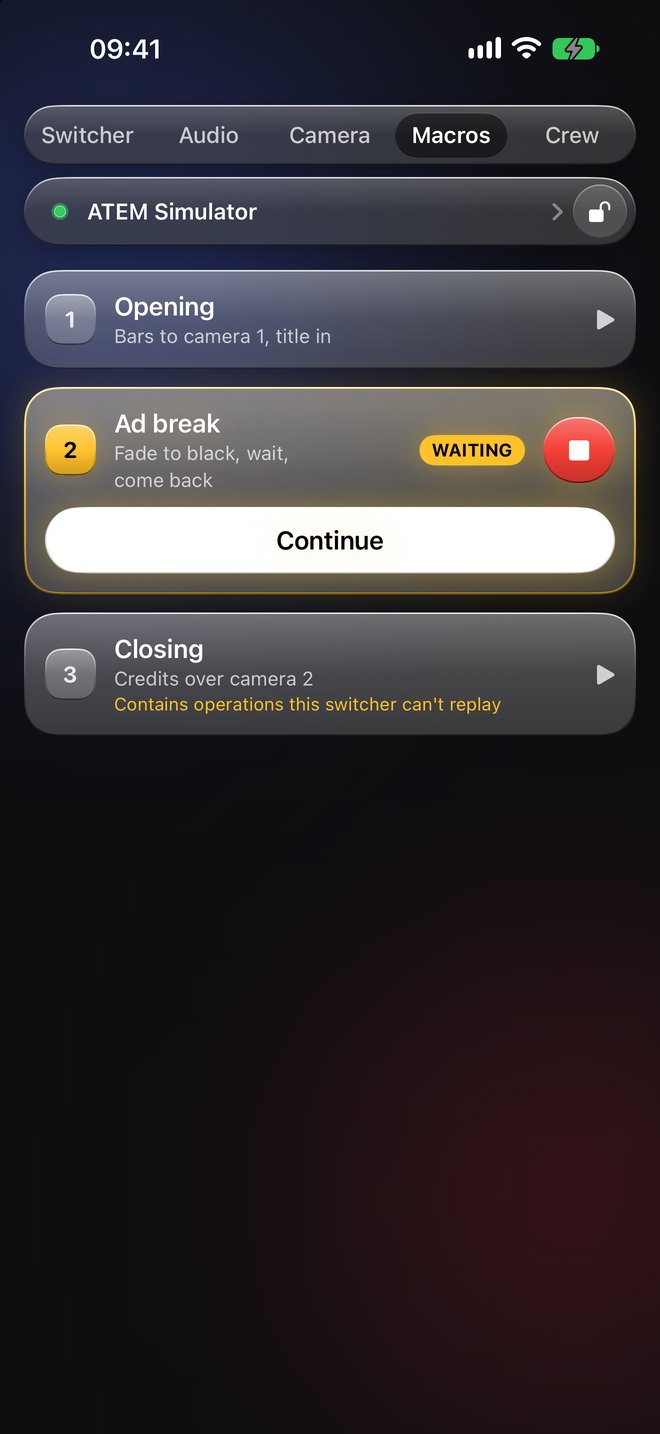
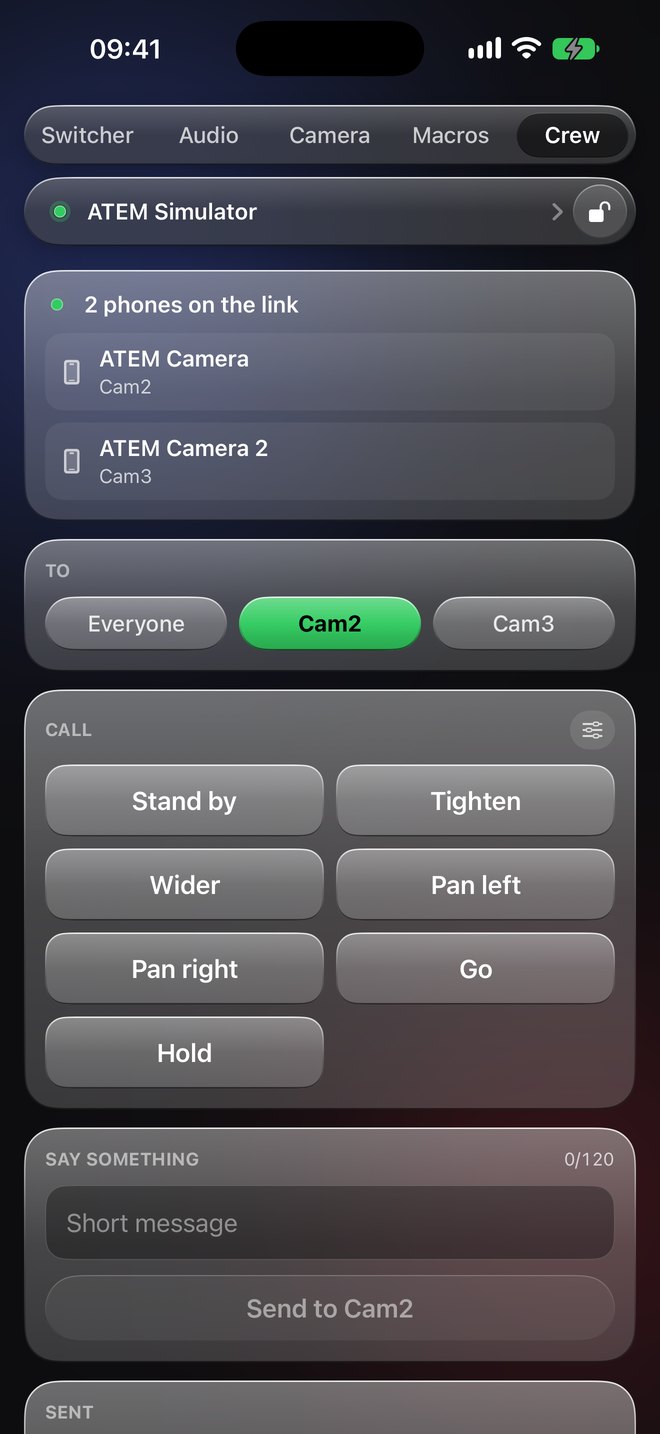
Микшер, макросы и сигналы операторам.
Switcher, macros and cues to the crew.
Что умеетWhat it does
- Шины program и preview, CUT и AUTO, верхние и нижние кейеры, выходы AUX; на микшере с двумя M/E обе ступени с одной панели.Program and preview buses, CUT and AUTO, upstream and downstream keyers, AUX outputs; on a two-M/E switcher both rows are driven from one panel.
- Звук: фейдеры классического микшера и Fairlight с индикаторами уровня.Audio: faders for the classic and Fairlight mixers, with meters.
- Шейдинг камер Blackmagic через микшер: диафрагма, гейн, выдержка, ND, баланс белого.Shading Blackmagic cameras through the switcher: iris, gain, shutter, ND, white balance.
- Макросы микшера: запустить, остановить, продолжить тот, что ждёт оператора.Switcher macros: run, stop, and continue the one that is waiting for the operator.
- Crew: короткие сигналы операторам камер на телефоны с ATEM Tally, с отметками «доставлено» и «прочитано».Crew: short cues to camera operators' phones running ATEM Tally, with delivered and read marks.
- Замок панели на время эфира: случайных нажатий нет, tally остаётся виден.A panel lock for the show: no accidental presses, and the tally stays visible.
Как устроеноHow it's built
- Протокол ATEM идёт поверх UDP, поэтому в приложении свой надёжный канал: нумерация пакетов, подтверждения, повторная отправка и восстановление порядка.The ATEM protocol runs over UDP, so the app carries its own reliable channel: packet numbering, acknowledgements, retransmission and reordering.
- В основе открытая библиотека Swift-Atem; транспорт переписан со SwiftNIO на Network.framework, и зависимостей у проекта не осталось.It started from the open-source Swift-Atem library; the transport was rewritten from SwiftNIO to Network.framework, which left the project with no dependencies.
- Симулятор микшера для macOS собран из того же протокольного кода: приложение проверяется без железа.A switcher simulator for macOS is built from the same protocol code, so the app can be tested without hardware.
- Регресс протокола: записанные дампы пакетов сравниваются с эталоном.Protocol regression: recorded packet dumps are compared against a baseline.
- Сигналы Crew идут от телефона к телефону мимо микшера: поиск по Bonjour, JSON по TCP.Crew cues travel phone to phone, not through the switcher: Bonjour discovery, JSON over TCP.
VideoHub Control
Пульт для матриц Blackmagic Videohub и AJA KUMO.A remote for Blackmagic Videohub and AJA KUMO routers.
- ПлатформыPlatforms
- iPhone, iPad, iOS 15+
- ОборудованиеHardware
- Blackmagic Videohub, AJA KUMO; демо-матрица без железаBlackmagic Videohub, AJA KUMO; a demo router with no hardware
- СтекStack
- Swift, UIKit и SwiftUI, Network.framework; без сторонних библиотекSwift, UIKit and SwiftUI, Network.framework; no third-party libraries
- ПубликацияReleased
- App Store с 2018 годаApp Store since 2018
Выбрать выход, выбрать источник, отправить. Приложение управляет видеоматрицами по локальной сети: из аппаратной, со сцены или из зала, с телефона в руке.Pick the destination, pick the source, send it. The app drives video routers over the local network, from the gallery, the stage or the floor, with the phone in your hand.
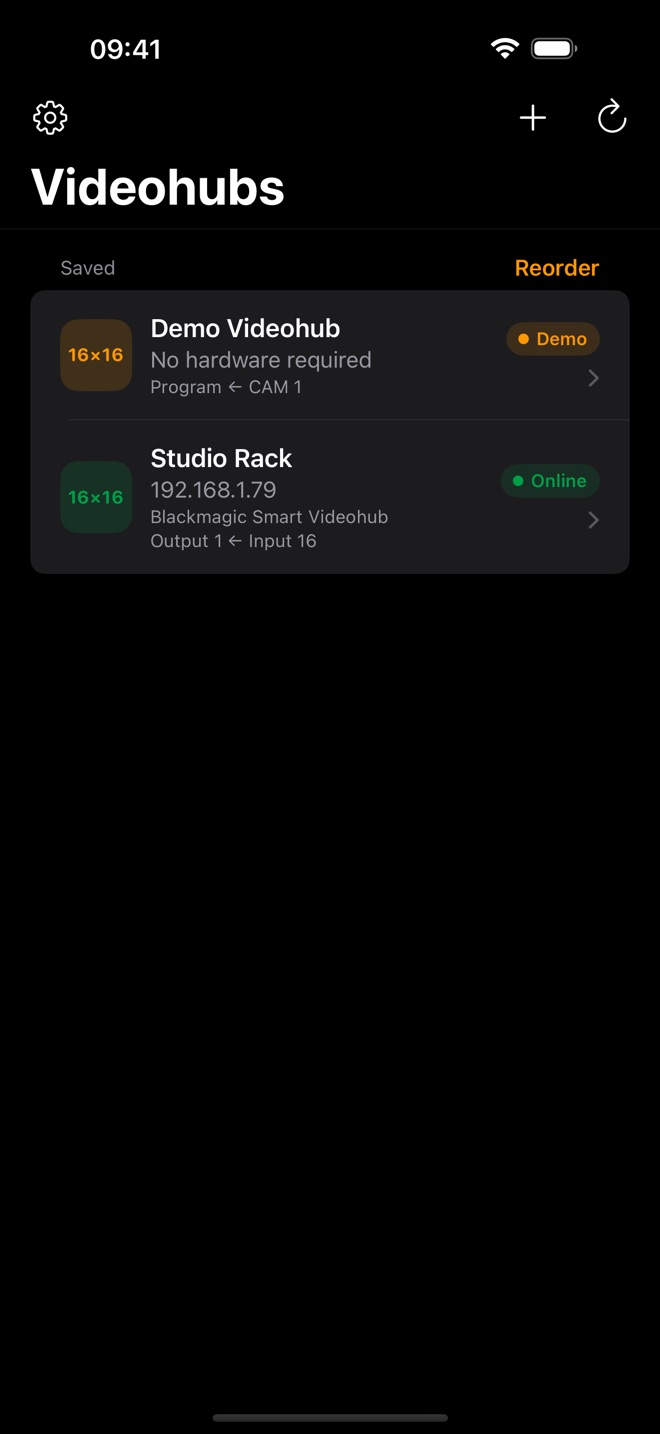
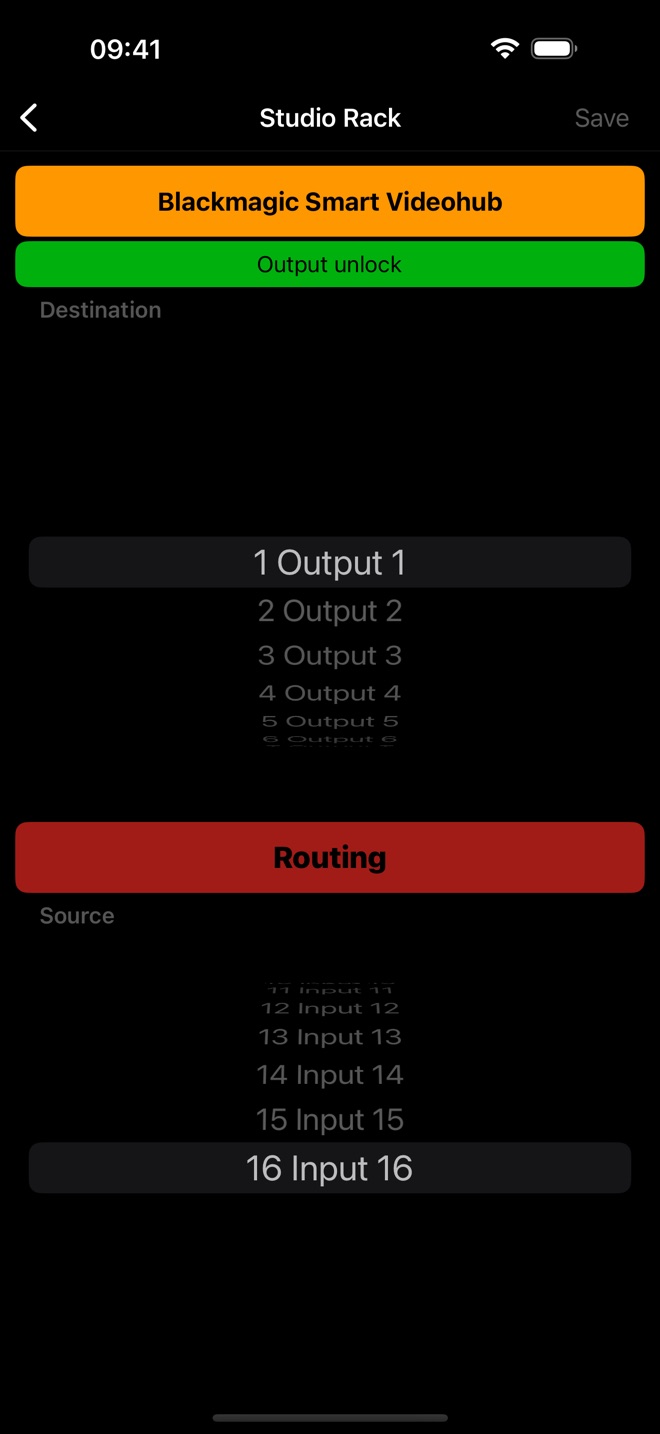
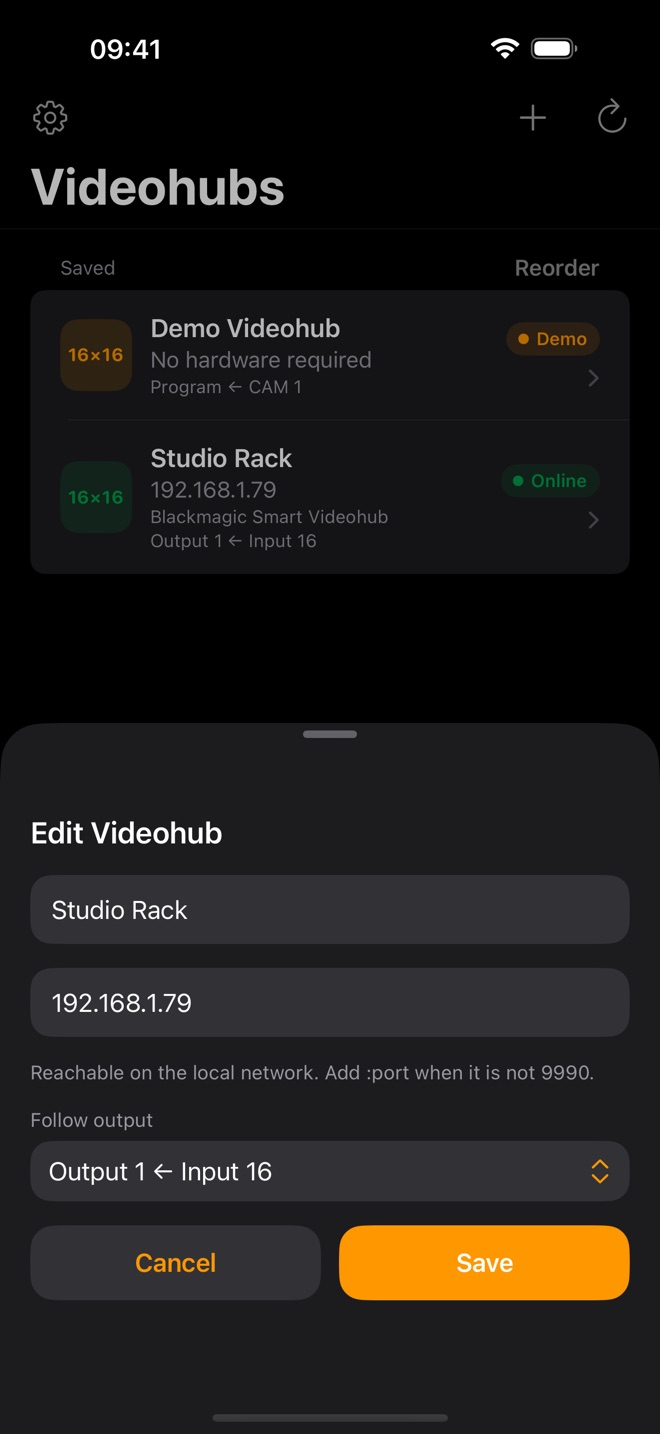
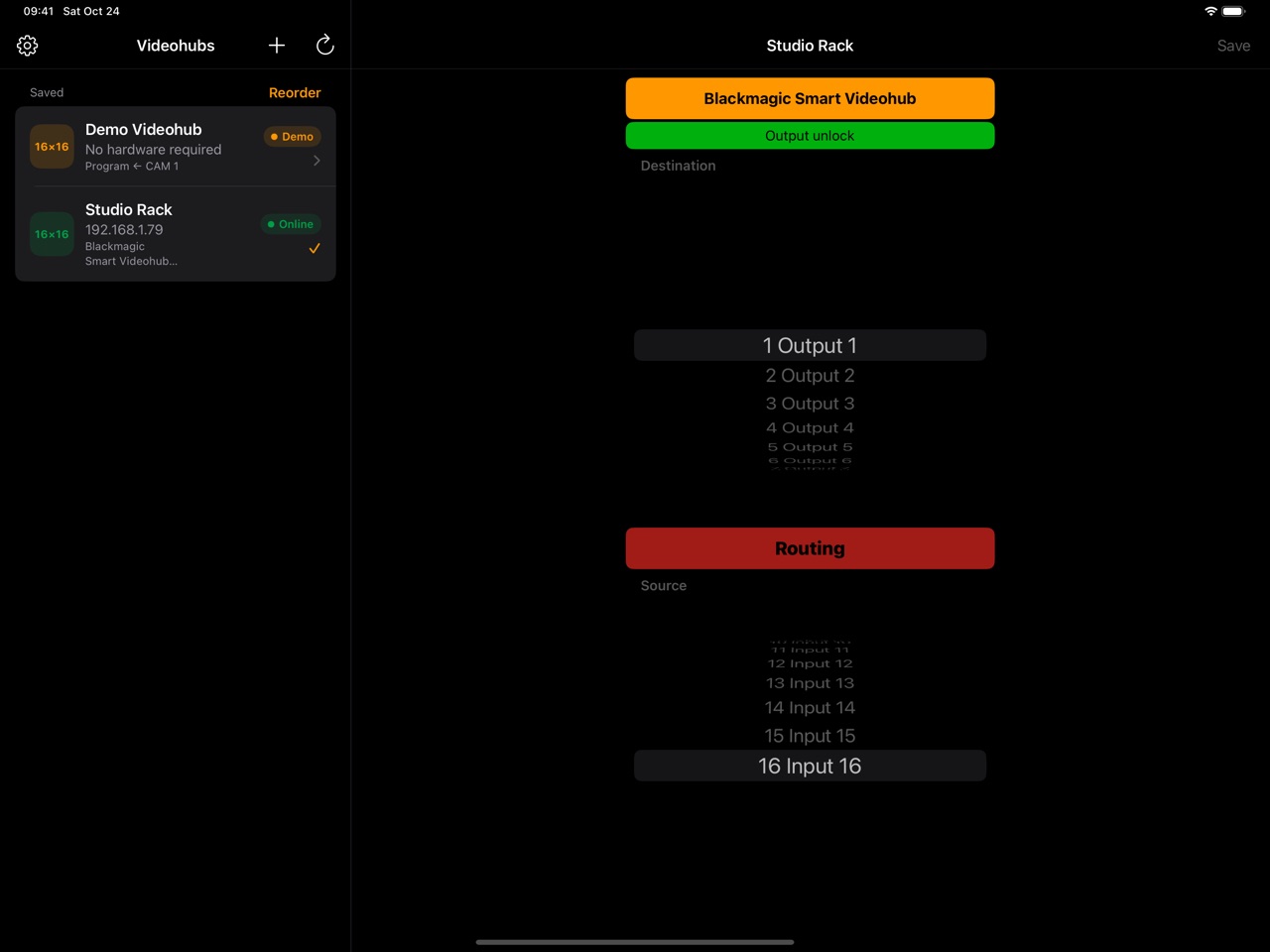
На iPad список и рутинг стоят рядом.
On iPad the list and the routing screen sit side by side.
Что умеетWhat it does
- Рутинг с подтверждением вторым тапом и отменой в течение десяти секунд.Routing with a second-tap confirmation and a ten-second undo.
- Блокировка выходов, имена портов и пресеты всей таблицы рутинга.Output locks, port names and presets of the whole routing table.
- Матрицы находятся в сети сами и запоминаются по идентификатору, а не по адресу: новый адрес от DHCP ничего не ломает.Routers are found on the network and remembered by their ID, not their address, so a new DHCP lease breaks nothing.
- AJA KUMO 16×4, 16×16, 32×32 и 64×64; старые Compact и Smart Videohub тоже подключаются.AJA KUMO 16×4, 16×16, 32×32 and 64×64; older Compact and Smart Videohub models connect too.
- VoiceOver: у кнопок есть подписи, а смена состояния объявляется голосом.VoiceOver: every control is labelled and state changes are announced.
Как устроеноHow it's built
- Текстовый протокол Videohub по TCP: приложение постоянно читает сокет и видит не только ответы на свои команды, но и чужие изменения.The text-based Videohub protocol over TCP: the app reads the socket continuously and sees other people's changes, not only replies to its own commands.
- AJA KUMO говорит по HTTP. Адаптер переводит его в тот же протокол, поэтому остальной код и экраны про KUMO не знают.AJA KUMO speaks HTTP. An adapter translates it into the same protocol, so the rest of the code and the screens know nothing about KUMO.
- Демо-матрица 16×16 живёт в памяти за тем же интерфейсом транспорта, что и настоящая.The 16×16 demo router lives in memory behind the same transport interface as a real one.
- Эмуляторы Videohub и KUMO на Python без зависимостей: на них идут интеграционные и UI-тесты.Videohub and KUMO emulators in dependency-free Python back the integration and UI tests.
- Решения экрана рутинга — что отправить и когда спросить подтверждение — вынесены в отдельный слой без интерфейса и сети.The routing screen's decisions, what to send and when to ask for confirmation, live in a separate layer with no UI and no network.
ATEM Tally
Сигнал эфира для оператора камеры.A tally light for the camera operator.
- ПлатформыPlatforms
- iPhone, Apple Watch
- ОборудованиеHardware
- ATEM Mini, Television Studio, Constellation
- СтекStack
- Swift, SwiftUI, Network.framework; без сторонних библиотекSwift, SwiftUI, Network.framework; no third-party libraries
- ПубликацияReleased
- App Store с 2020 годаApp Store since 2020
Телефон крепится рядом с видоискателем: весь экран краснеет, когда камера в эфире, и зеленеет, когда она в превью. Apple Watch коротко вибрирует в момент переключения.The phone sits next to the viewfinder: the whole screen turns red when the camera is live and green when it is on preview. The Apple Watch taps the wrist the moment it changes.
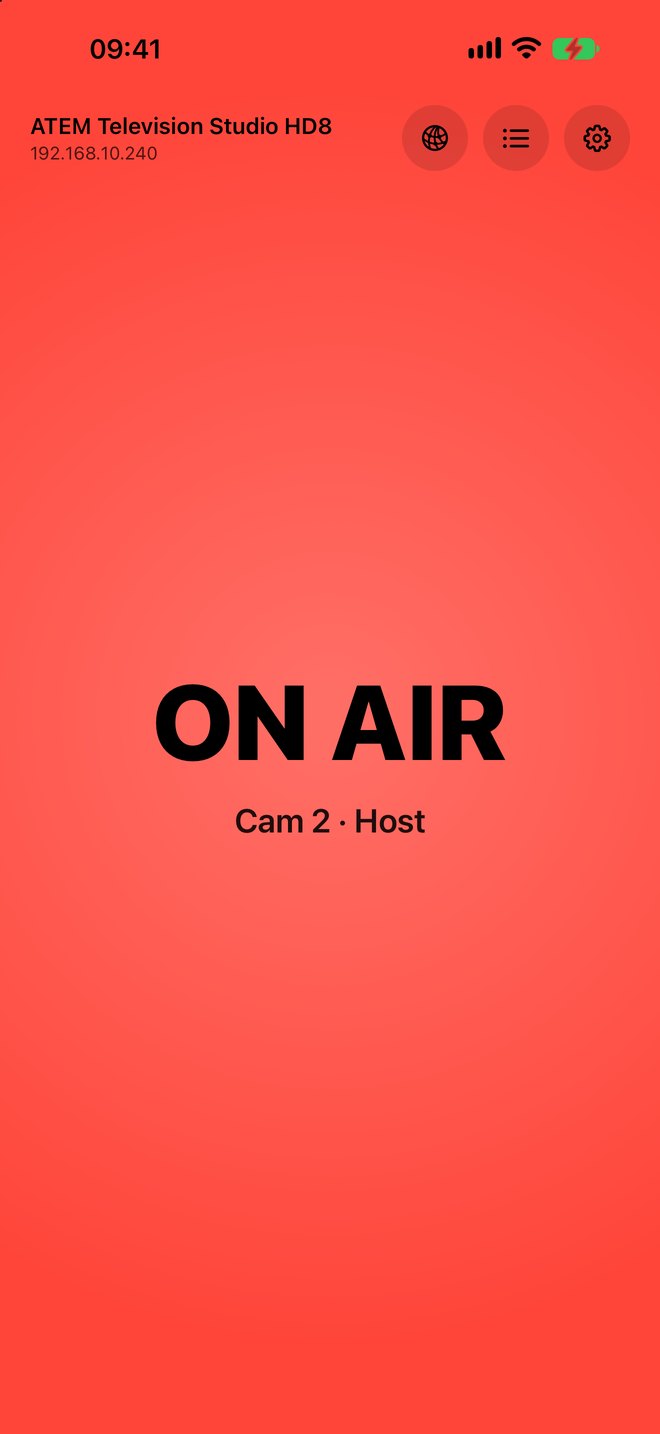
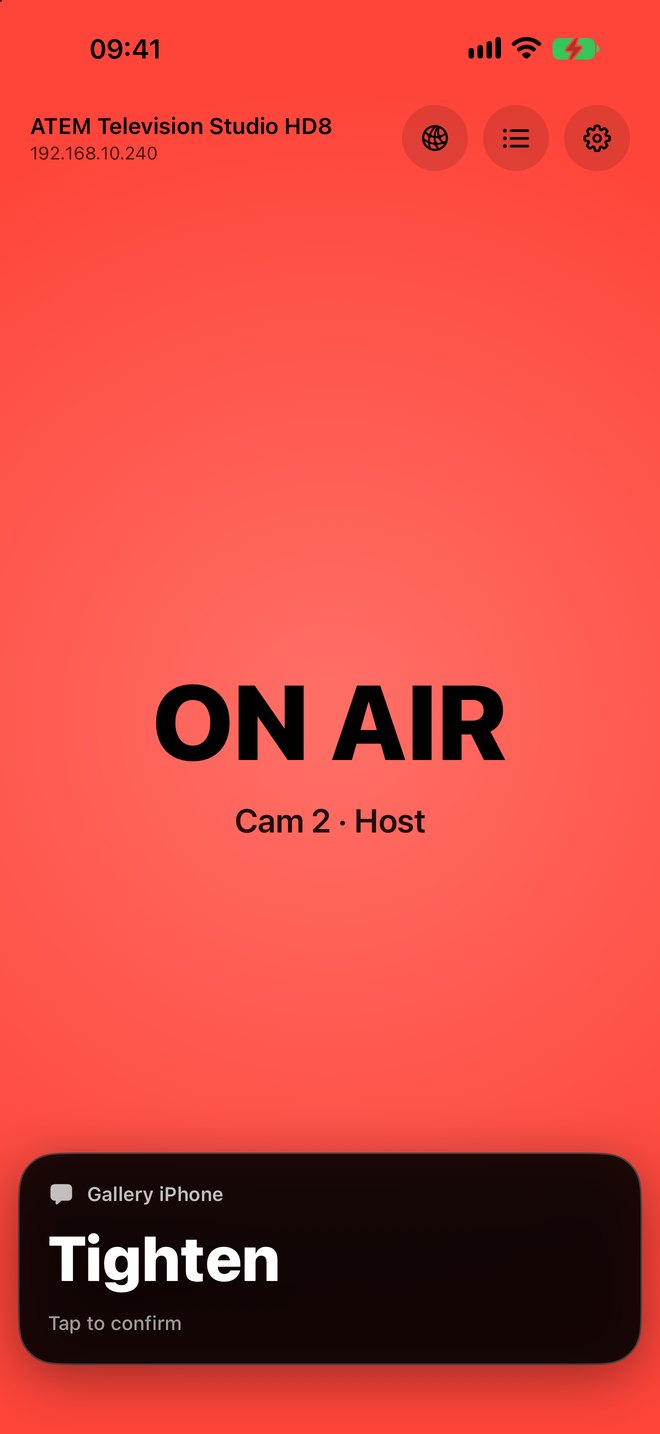
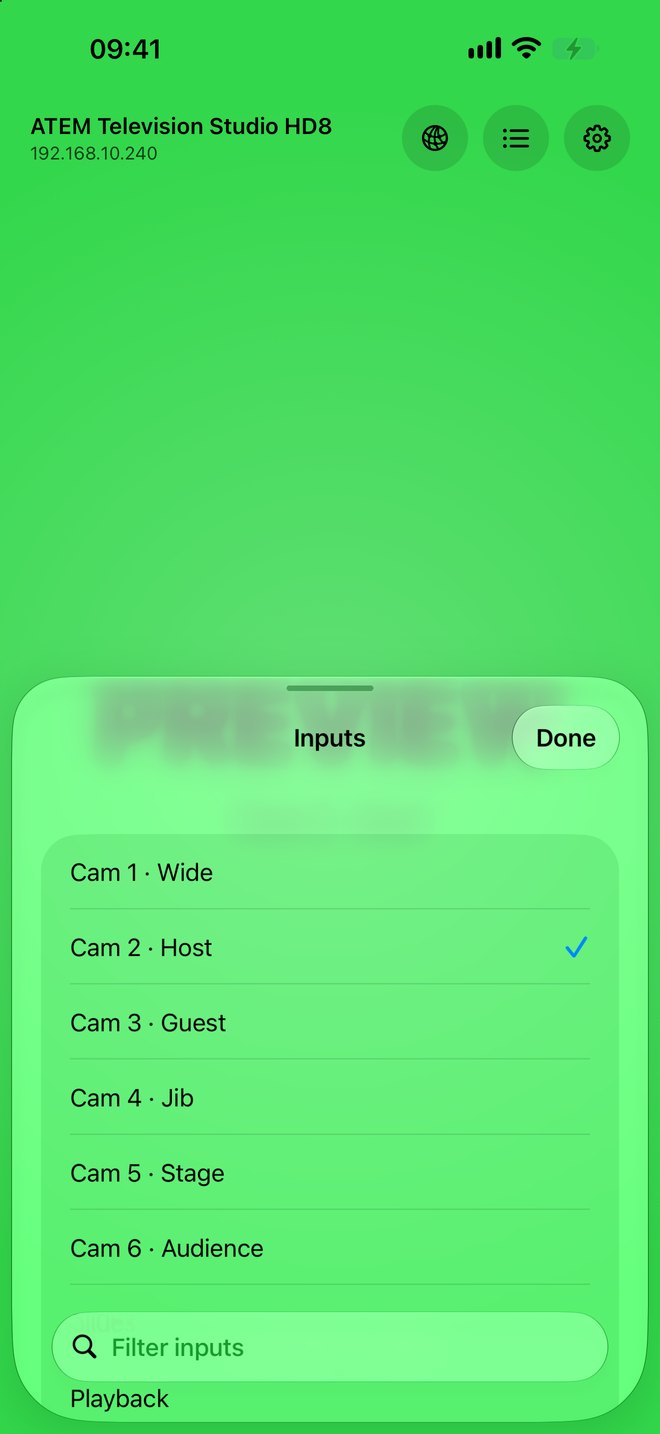
В эфире, сигнал от режиссёра, выбор камеры.
On air, a cue from the gallery, choosing a camera.
Что умеетWhat it does
- Красный — программа, зелёный — превью, тёмный — ожидание. Видно через всю студию.Red is program, green is preview, dark is standby. Visible from across the studio.
- Apple Watch повторяет цвет и вибрирует при выходе в эфир, в превью и при уходе из эфира.The Apple Watch mirrors the colour and taps when you go on air, land on preview and leave air.
- Сигналы от режиссёра из ATEM Control поверх tally: «Приготовиться», «Крупнее», «Шире».Cues from the director in ATEM Control over the tally: Stand by, Tighten, Wider.
- Микшеры находятся в сети сами; камера выбирается по названиям входов, заданным на микшере.Switchers are found on the network; the camera is picked from the input names set on the switcher.
Как устроеноHow it's built
- То же протокольное ядро, что и в ATEM Control: надёжный канал поверх UDP на Network.framework.The same protocol core as ATEM Control: a reliable channel over UDP on Network.framework.
- Если подтверждения от микшера не приходят полторы секунды, экран показывает ожидание, а не устаревший цвет.If the switcher stops acknowledging for a second and a half, the screen shows standby instead of a stale colour.
- Смена камеры не переподключает сокет, поэтому tally не пропадает на время выбора.Changing the camera does not reconnect the socket, so the tally never drops while choosing.
- Сигналы режиссёра принимаются только из локальной сети: поиск по Bonjour, JSON по TCP, сотовая сеть исключена.Director's cues are accepted from the local network only: Bonjour discovery, JSON over TCP, never over cellular.
- Отдельное приложение для watchOS и модульные тесты.A separate watchOS app, and unit tests.
Probe Lab
Сеть, Bluetooth, ссылки и соединение под рукой.Network, Bluetooth, links and the connection at hand.
- ПлатформыPlatforms
- iPhone, iOS 18+
- СтекStack
- Swift, SwiftUI, Network.framework, CoreBluetooth, llama.cpp, GRDB
- ПубликацияReleased
- App Store с 2026 годаApp Store since 2026
Карманная лаборатория цифровой безопасности: кто есть в вашей сети и какие порты у них открыты, какие метки Bluetooth рядом, куда ведёт ссылка и что на самом деле происходит с соединением.A pocket digital-security lab: who is on your network and which ports they leave open, which Bluetooth tags are nearby, where a link really leads, and what is actually going on with the connection.
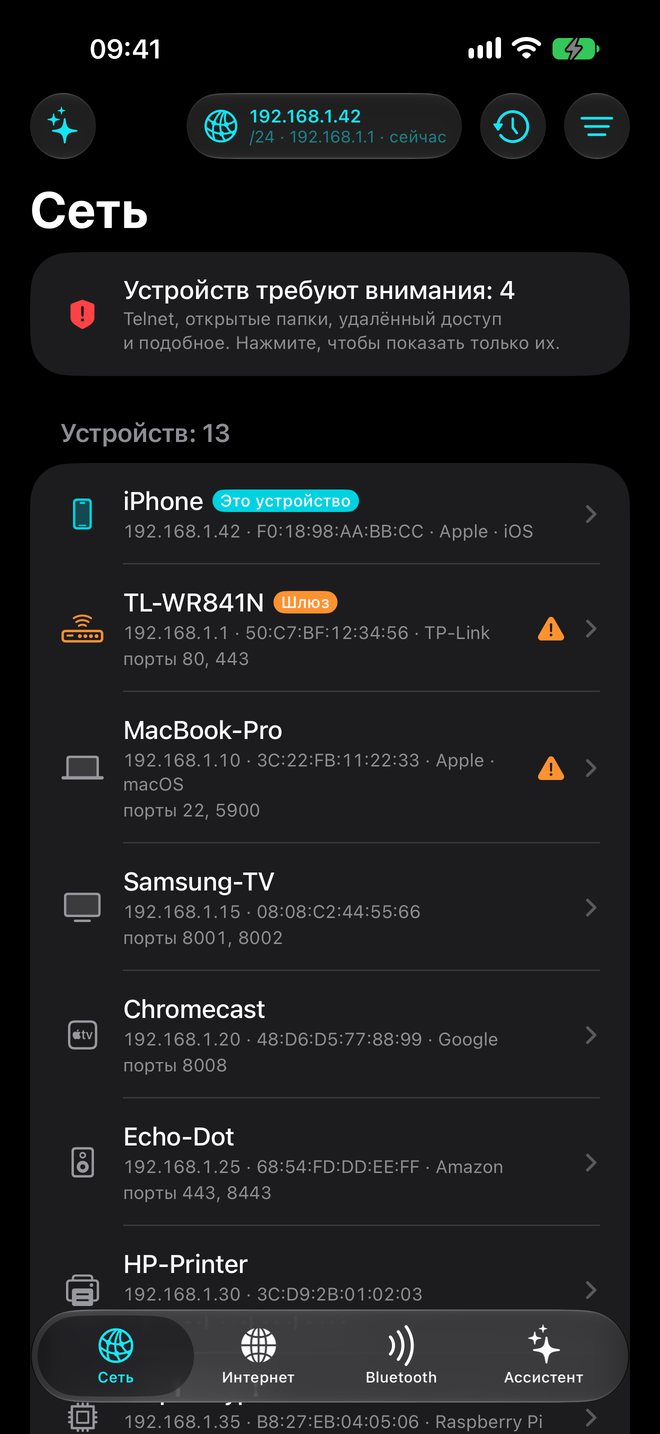
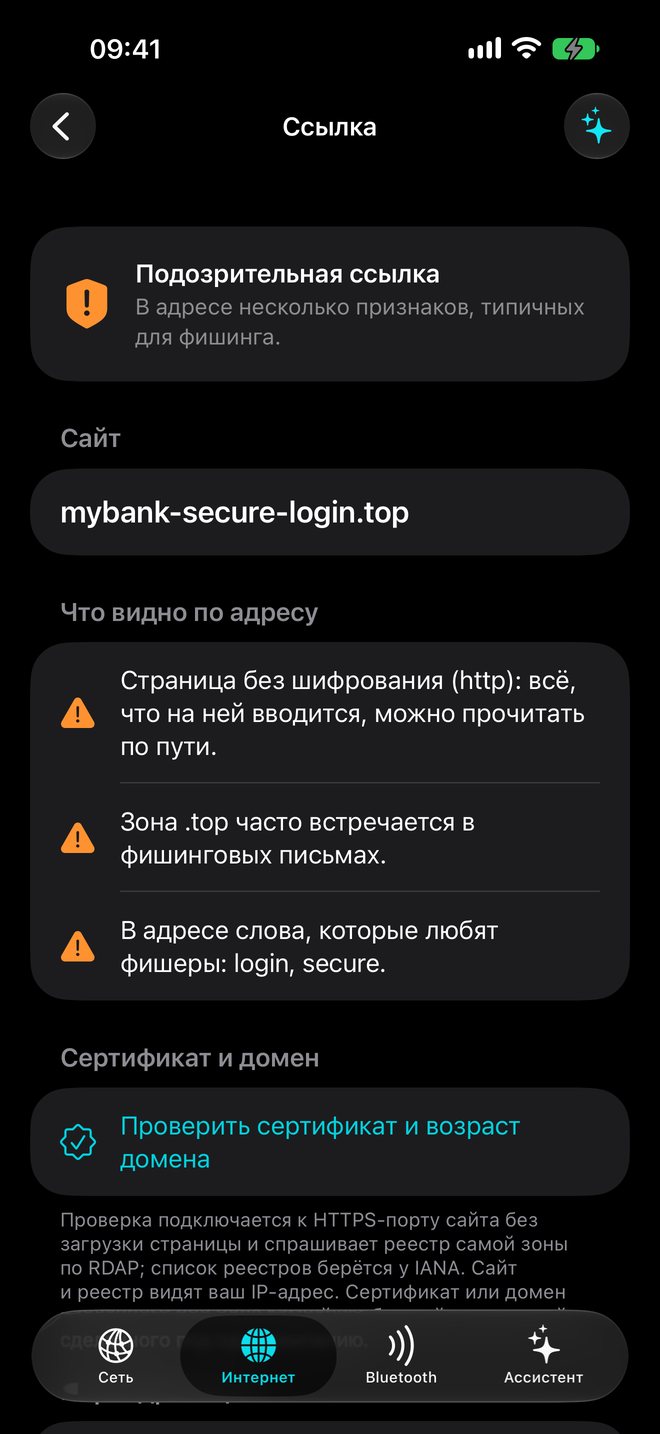
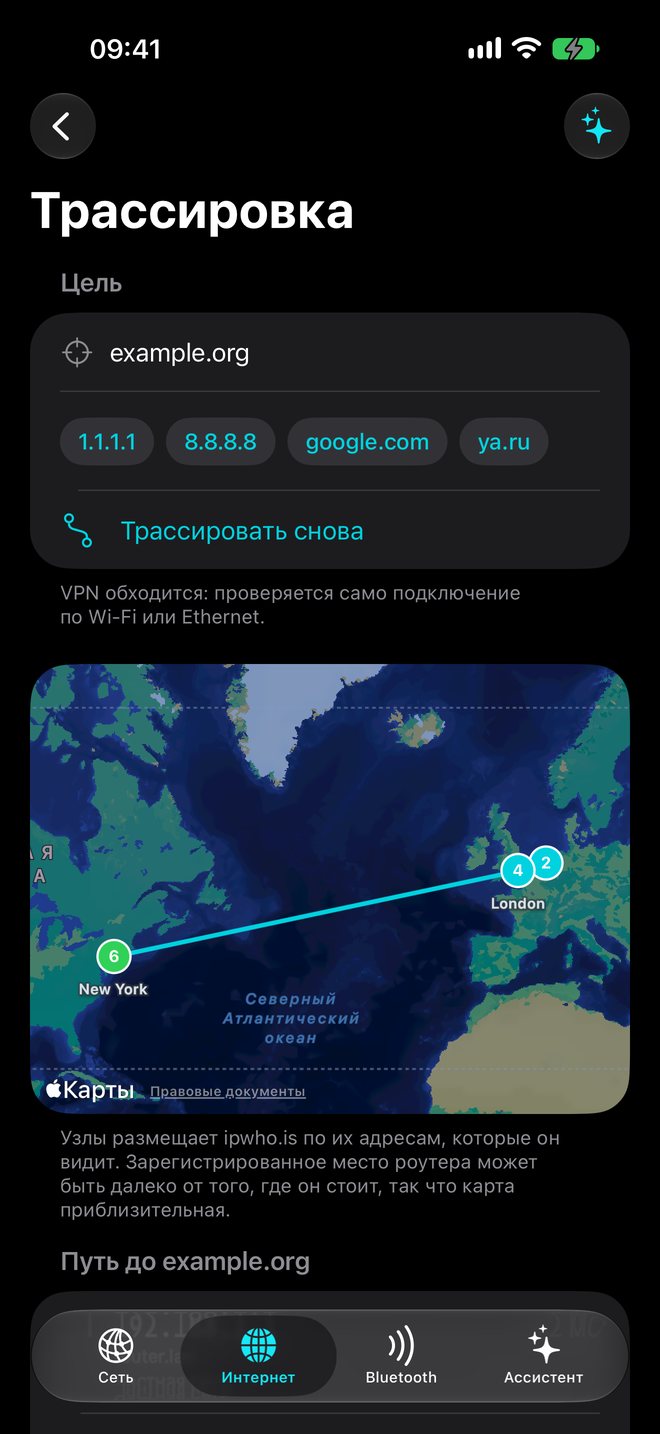
Устройства в сети, проверка ссылки, трассировка.
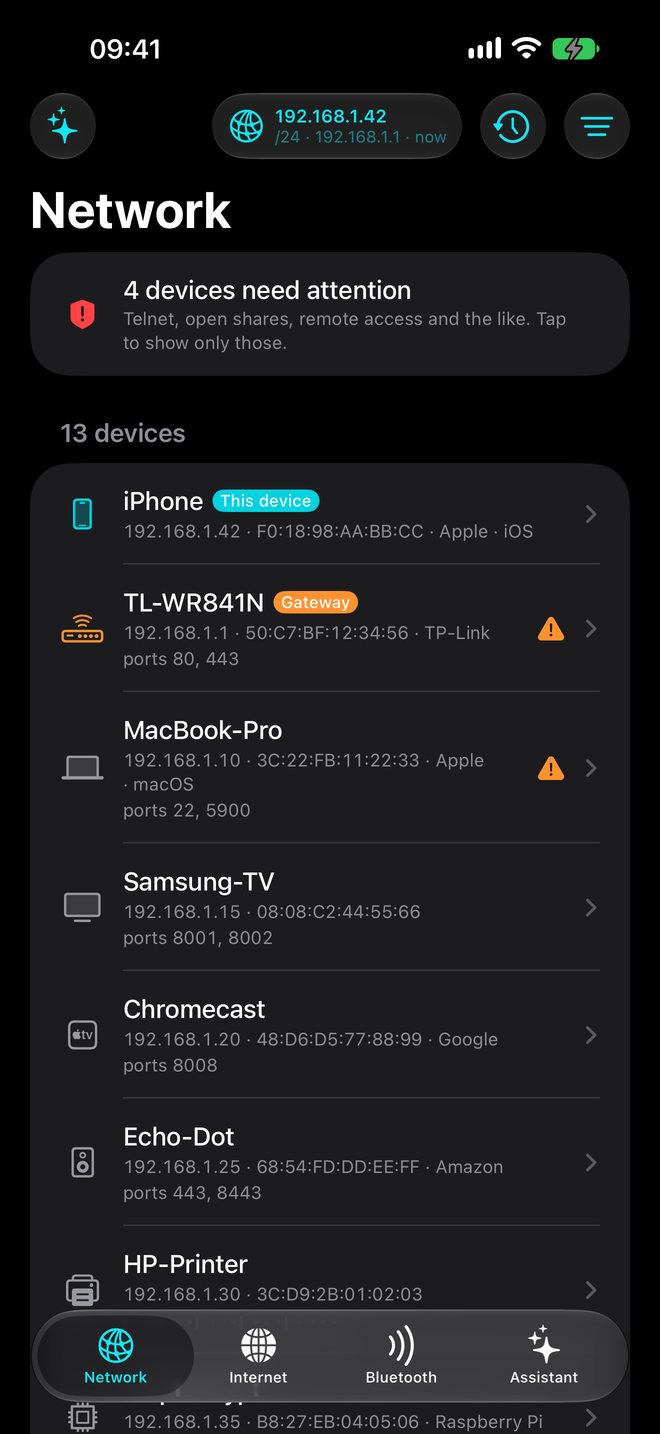
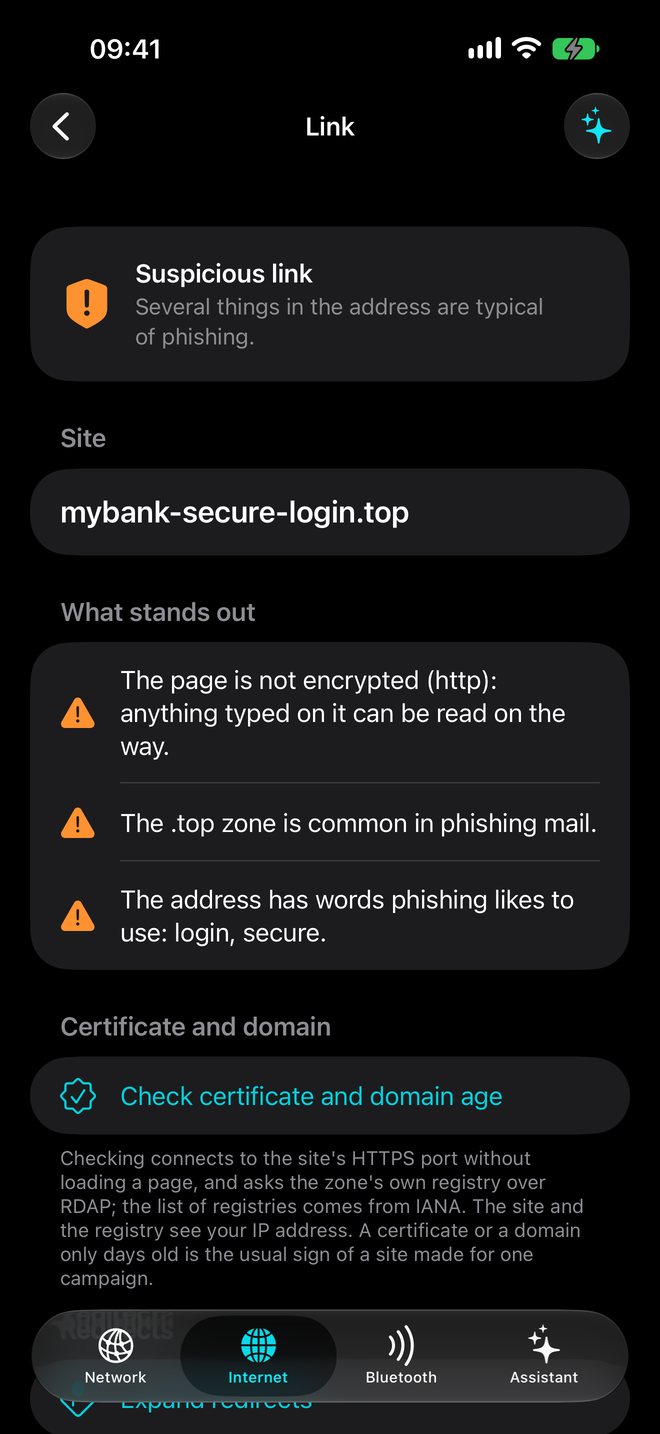
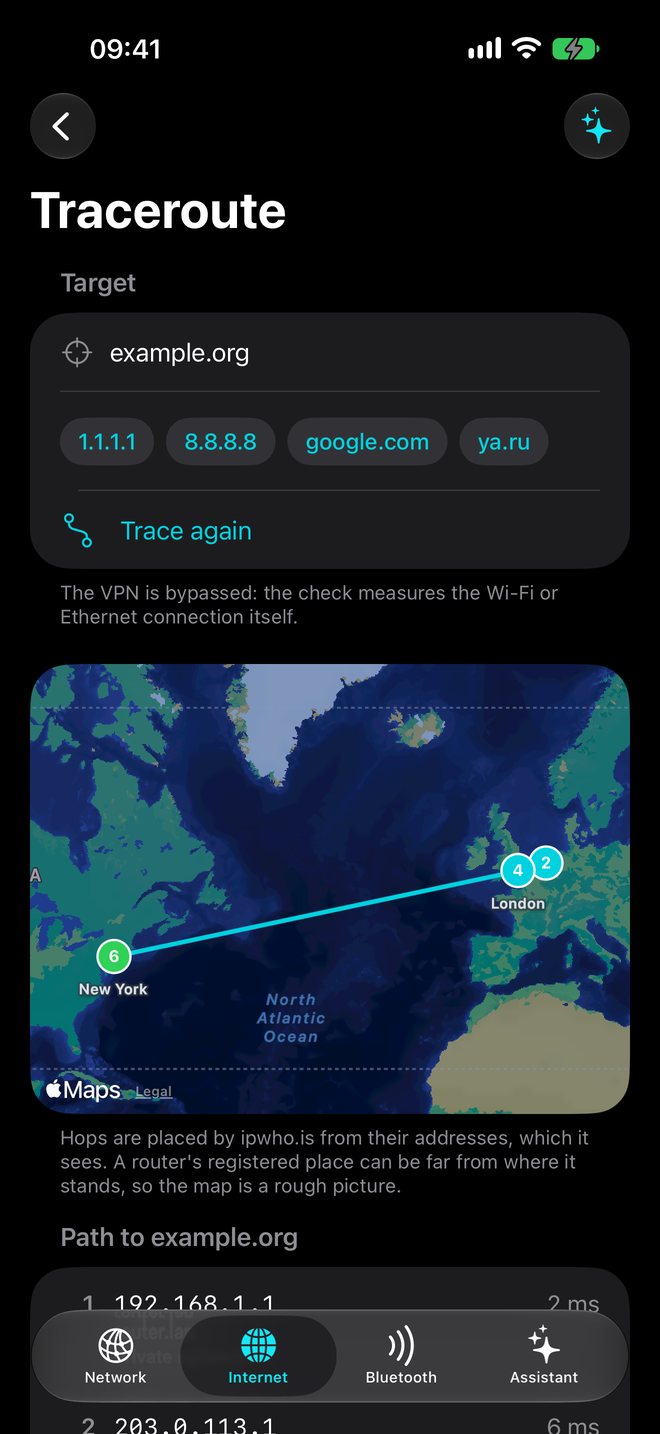
Devices on the network, a link check, a traceroute.
Что умеетWhat it does
- Сканер локальной сети: устройства, производители, открытые порты и то, чем они рискованны.A local network scanner: devices, vendors, open ports and what makes them risky.
- Bluetooth: устройства рядом и метки-трекеры Tile, SmartTag, Chipolo и Find My Device, с предупреждением, если метка долго держится рядом.Bluetooth: nearby devices and Tile, SmartTag, Chipolo and Find My Device trackers, with a warning when a tag stays close for long.
- Проверка ссылки или QR-кода: признаки фишинга, сертификат и возраст домена. Работает и из меню «Поделиться».Checking a link or a QR code: signs of phishing, the certificate and the domain's age. It also works from the Share menu.
- Соединение: подмена TLS и DNS, трассировка с картой, тест скорости.The connection: TLS and DNS tampering, a traceroute with a map, a speed test.
- Ассистент на устройстве объясняет найденное простыми словами.An on-device assistant explains the findings in plain words.
Как устроеноHow it's built
- Телефонная часть проекта Spectra, выделенная в отдельное приложение под правила App Store.The phone side of the Spectra project, split out into an app of its own that fits the App Store rules.
- iOS не даёт читать таблицу ARP, поэтому сканер собирает картину из нескольких источников: UDP- и TCP-пробы, Bonjour, UPnP и SSDP.iOS does not expose the ARP table, so the scanner pieces the picture together from several sources: UDP and TCP probes, Bonjour, UPnP and SSDP.
- Ассистент работает на llama.cpp прямо на телефоне; на iPhone с Apple Intelligence вместо загружаемой модели может работать встроенная.The assistant runs on llama.cpp right on the phone; on an iPhone with Apple Intelligence the built-in model can stand in for the downloaded one.
- Результаты хранятся на устройстве; у разработчика нет сервера.Results stay on the device; the developer runs no server.
- Проект генерируется XcodeGen, скриншоты для стора снимает UI-тест.The project is generated by XcodeGen, and a UI test takes the store screenshots.
Spectra
Wi-Fi, Bluetooth и LoRa с сенсором на ESP32.Wi-Fi, Bluetooth and LoRa with an ESP32 sensor.
- ПлатформыPlatforms
- iPhone, iPad, Android, прошивка для ESP32iPhone, iPad, Android, firmware for ESP32
- ОборудованиеHardware
- M5Stack Cardputer, ESP32-C5, ESP32-WROOM-32
- СтекStack
- Swift, SwiftUI · Kotlin, Jetpack Compose · C++, PlatformIO, NimBLE, RadioLib · llama.cpp
- КодCode
- Открыт на GitHub, MITOpen source on GitHub, MIT
iOS не даёт приложениям перечислять сети Wi-Fi, поэтому радио здесь отдельное: сенсор на ESP32 сканирует эфир и передаёт результаты в телефон по Bluetooth LE. Поверх этого в приложении сканер локальной сети, проверки соединения и ассистент на локальной языковой модели.iOS does not let apps list Wi-Fi networks, so the radio here is a separate device: an ESP32 sensor scans the air and sends the results to the phone over Bluetooth LE. On top of that the app has a local network scanner, connection checks and an assistant running on a local language model.
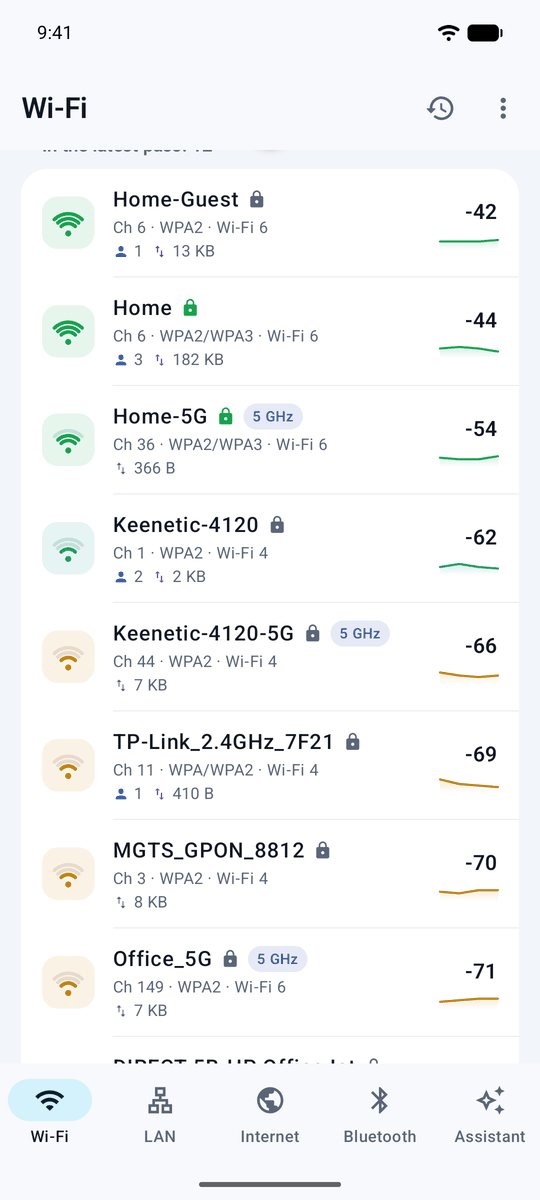
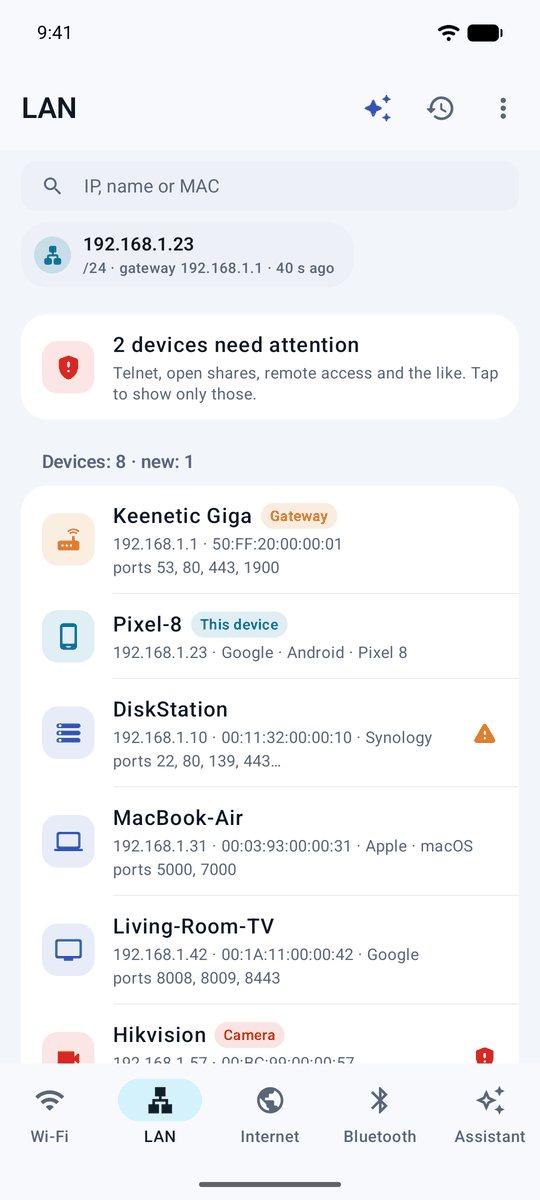
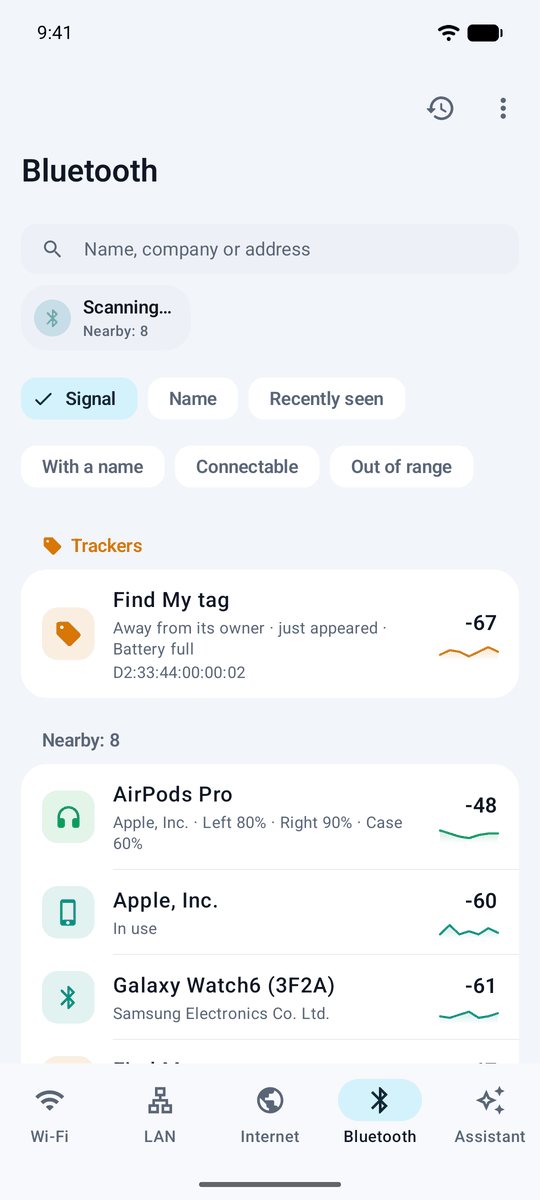
Версия для Android: Wi-Fi, локальная сеть, Bluetooth.
The Android app: Wi-Fi, the local network, Bluetooth.
Что умеетWhat it does
- Сенсор видит точки доступа, клиентов, probe-запросы и deauth-кадры, устройства BLE и LoRa.The sensor sees access points, clients, probe requests and deauth frames, BLE devices and LoRa.
- Работает и без телефона: сканы сохраняются во flash и выгружаются при следующем подключении.It works without the phone too: scans are saved to flash and uploaded on the next connection.
- В телефоне: сканер локальной сети, проверка ссылок и соединения, история с геопозицией.On the phone: a local network scanner, link and connection checks, a history with locations.
- Ассистент на локальной модели объясняет найденное; данные никуда не отправляются.An assistant on a local model explains the findings; nothing is sent anywhere.
Как устроеноHow it's built
- Свой протокол поверх BLE GATT с версиями и описанием в репозитории; телефон выступает центральным устройством.A custom protocol over BLE GATT, versioned and documented in the repository; the phone acts as the central.
- Прошивка обновляется по Bluetooth во второй слот flash, без кабеля.The firmware updates over Bluetooth into the second flash slot, no cable needed.
- Одна прошивка для трёх плат, включая ESP32-C5 с диапазоном 5 ГГц; у неё есть тесты, которые идут на компьютере.One firmware for three boards, including the 5 GHz ESP32-C5; it has tests that run on the host machine.
- Справочники производителей и сервисов Bluetooth лежат в одном месте и общие для iOS и Android.The vendor and Bluetooth service catalogues live in one place and are shared by iOS and Android.
- Языковая модель работает на llama.cpp: на iOS как xcframework, на Android через JNI.The language model runs on llama.cpp: as an xcframework on iOS, through JNI on Android.
- Релизы Android и прошивки собирает GitHub Actions по тегу.Android and firmware releases are built by GitHub Actions from a tag.
CoverCast
Now Playing для винила.Now Playing for vinyl.
- ПлатформыPlatforms
- iPhone, iPad, Apple TV, Android TV, любой браузер в домашней сетиiPhone, iPad, Apple TV, Android TV, any browser on the home network
- СтекStack
- Swift, SwiftUI, SwiftData, ShazamKit, MusicKit, HomeKit · Kotlin, Jetpack Compose
- ПубликацияReleased
- App Store с 2026 годаApp Store since 2026
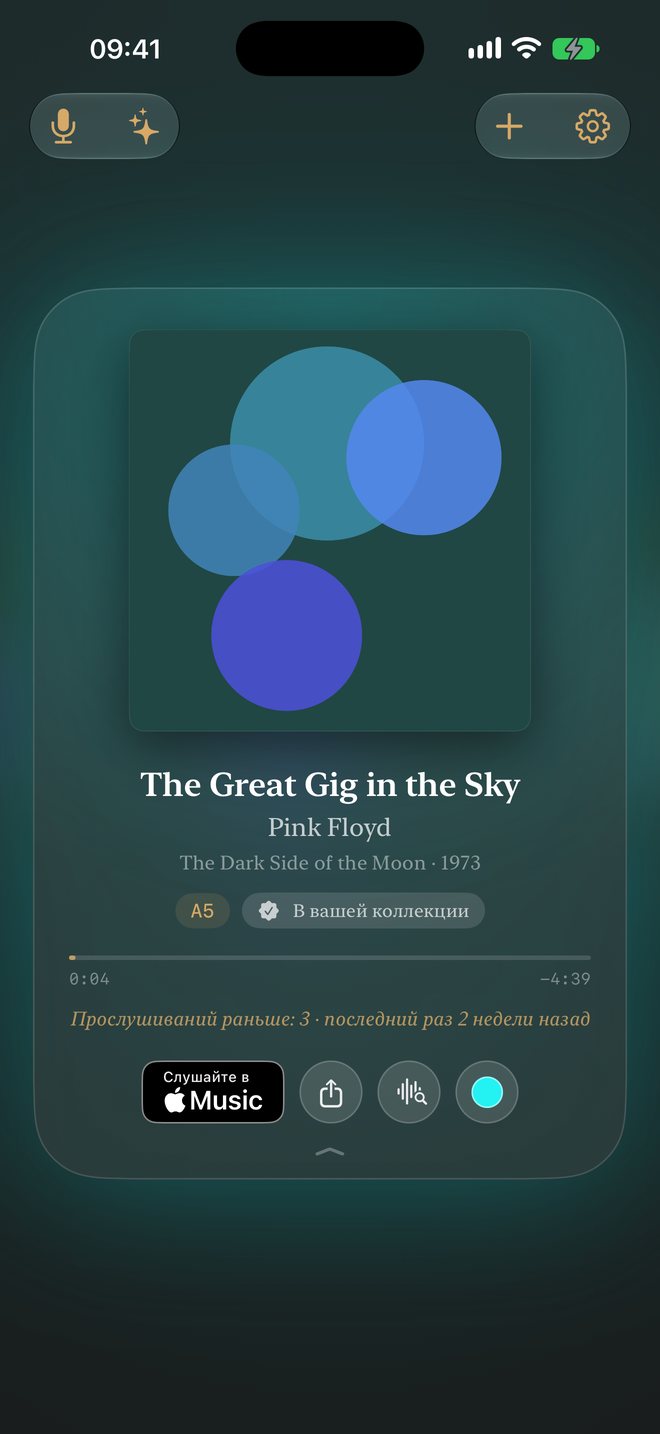
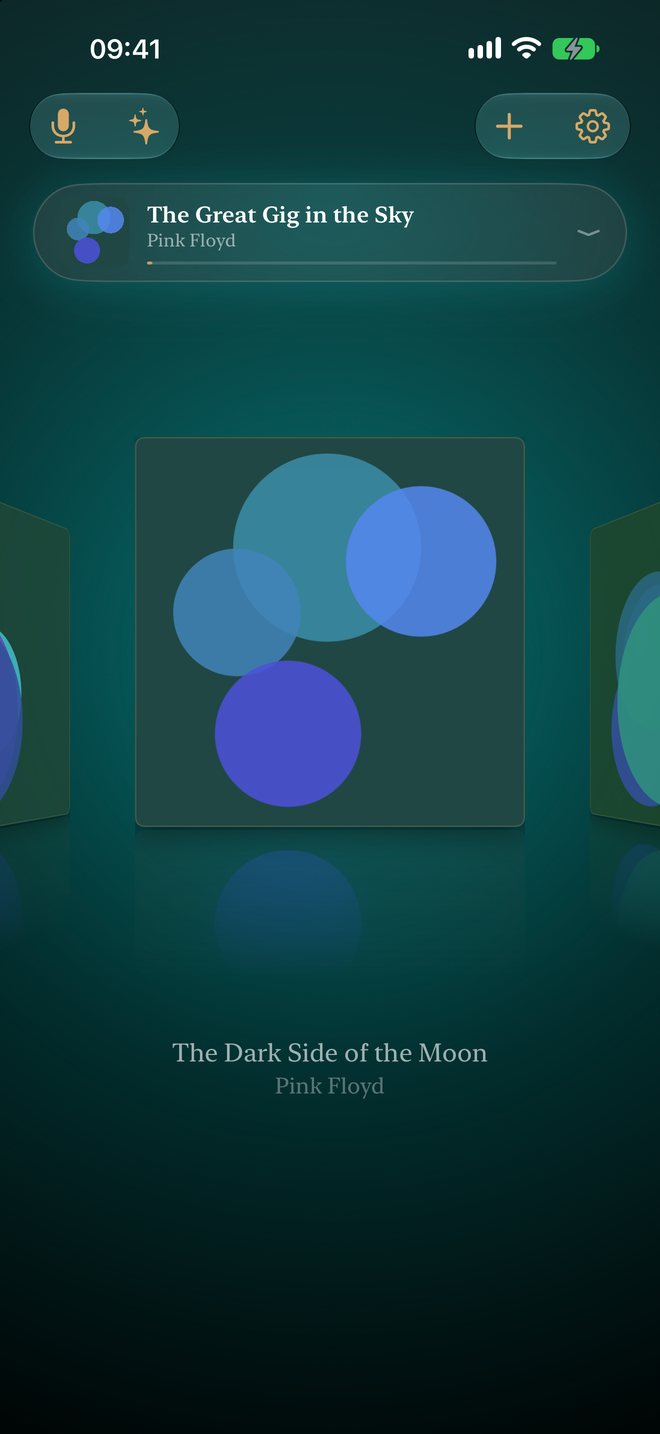
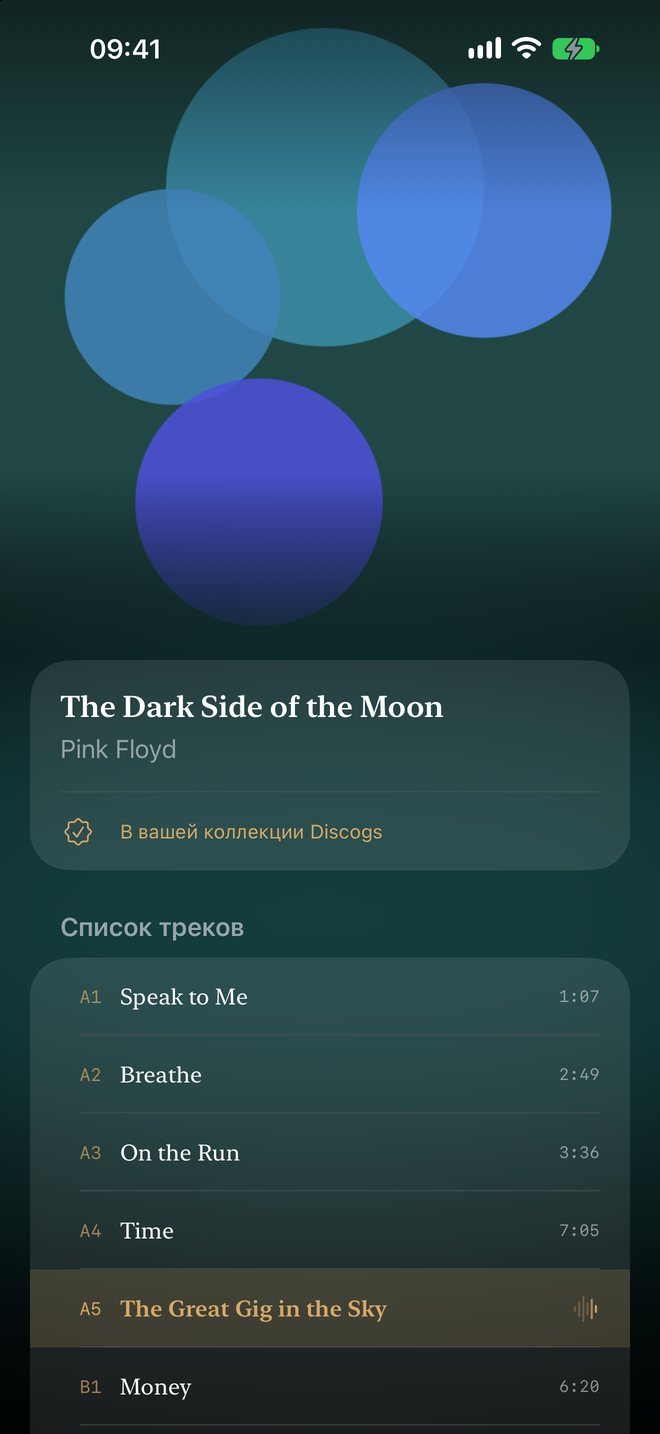
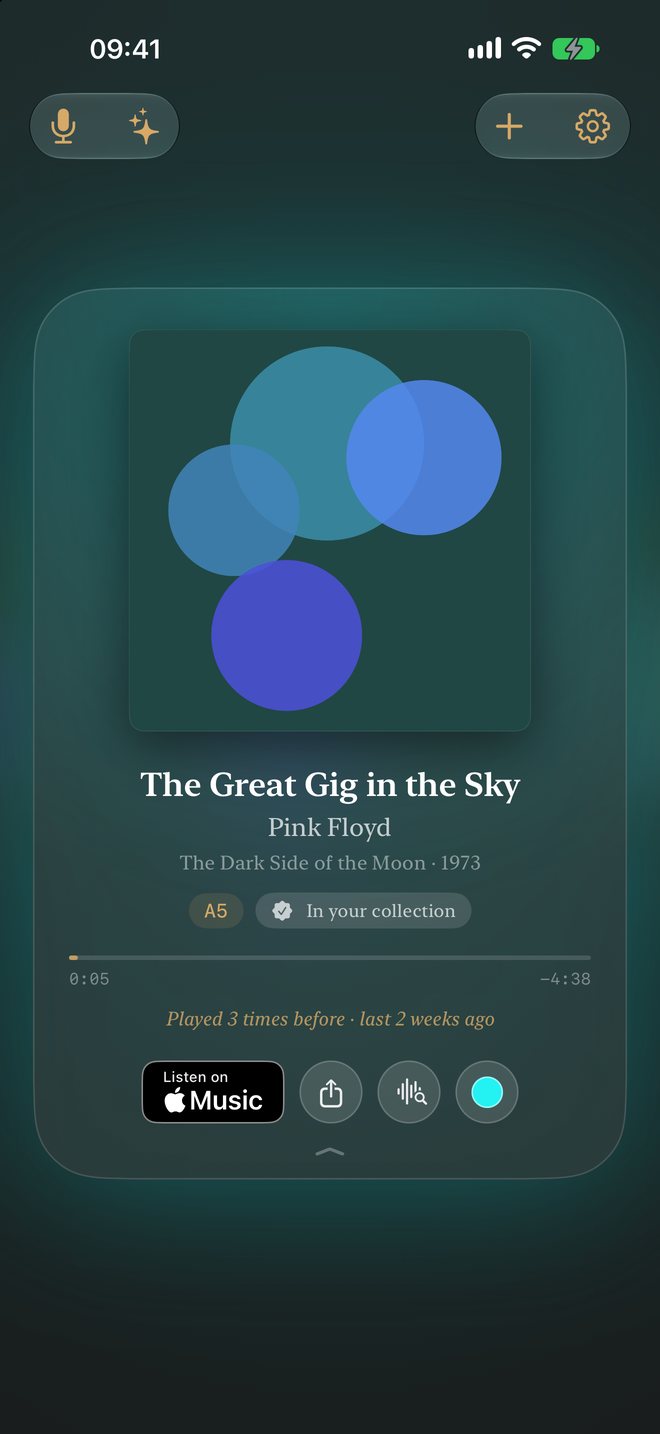
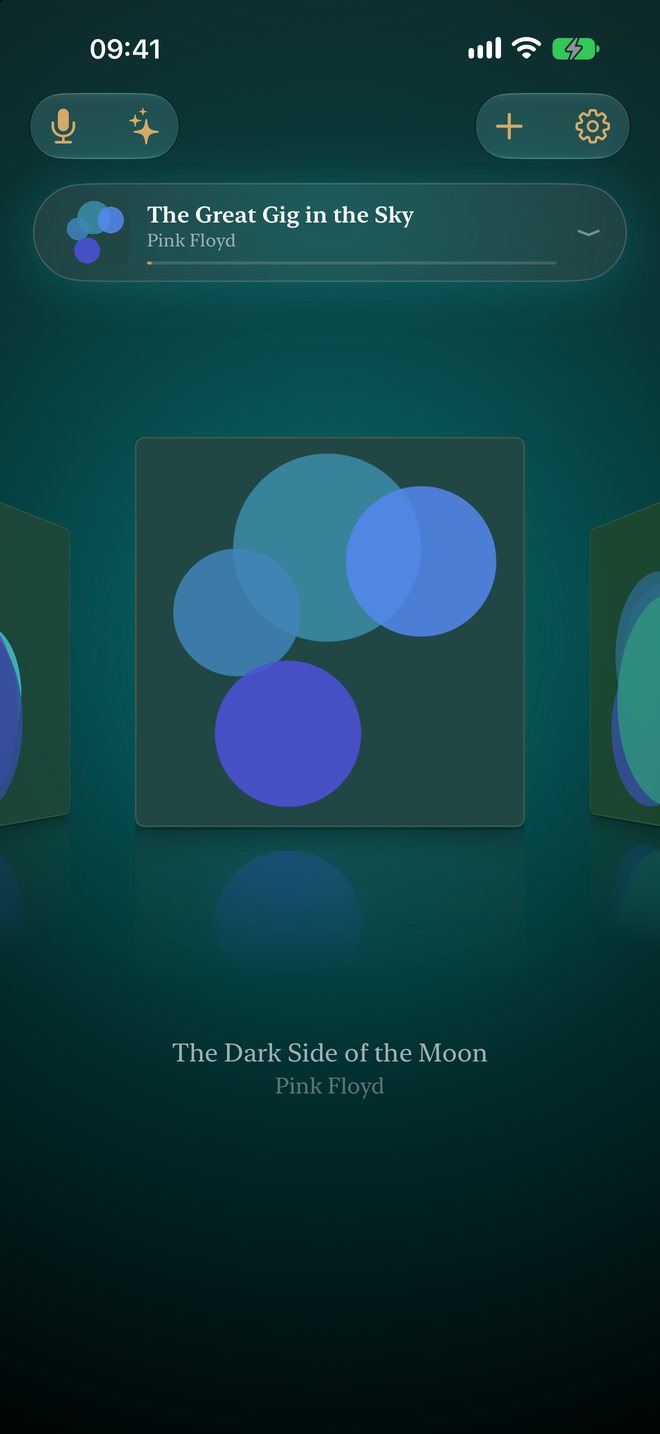
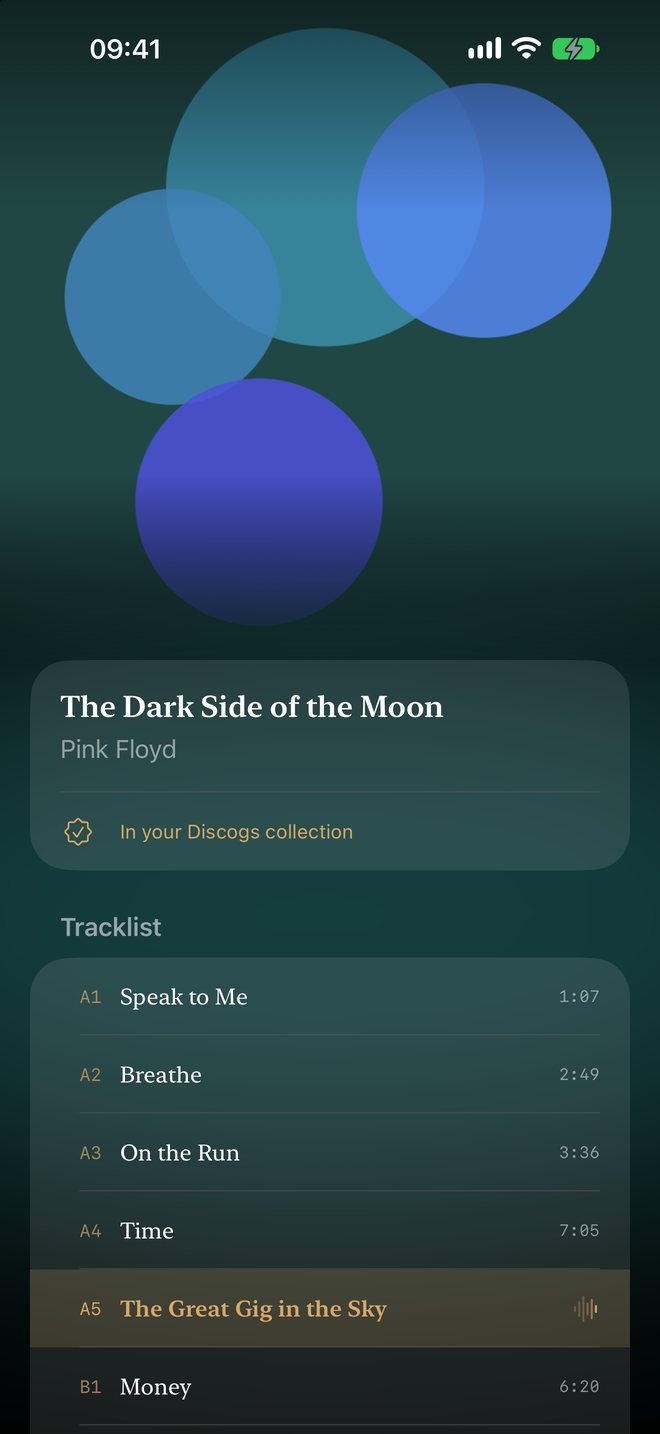
Телефон слушает комнату, узнаёт играющий трек и показывает конверт пластинки на телевизоре, с порядком треков и стороной по конкретному изданию.The phone listens to the room, recognises the track that is playing and shows the record sleeve on the television, with the running order and the side taken from the exact pressing.
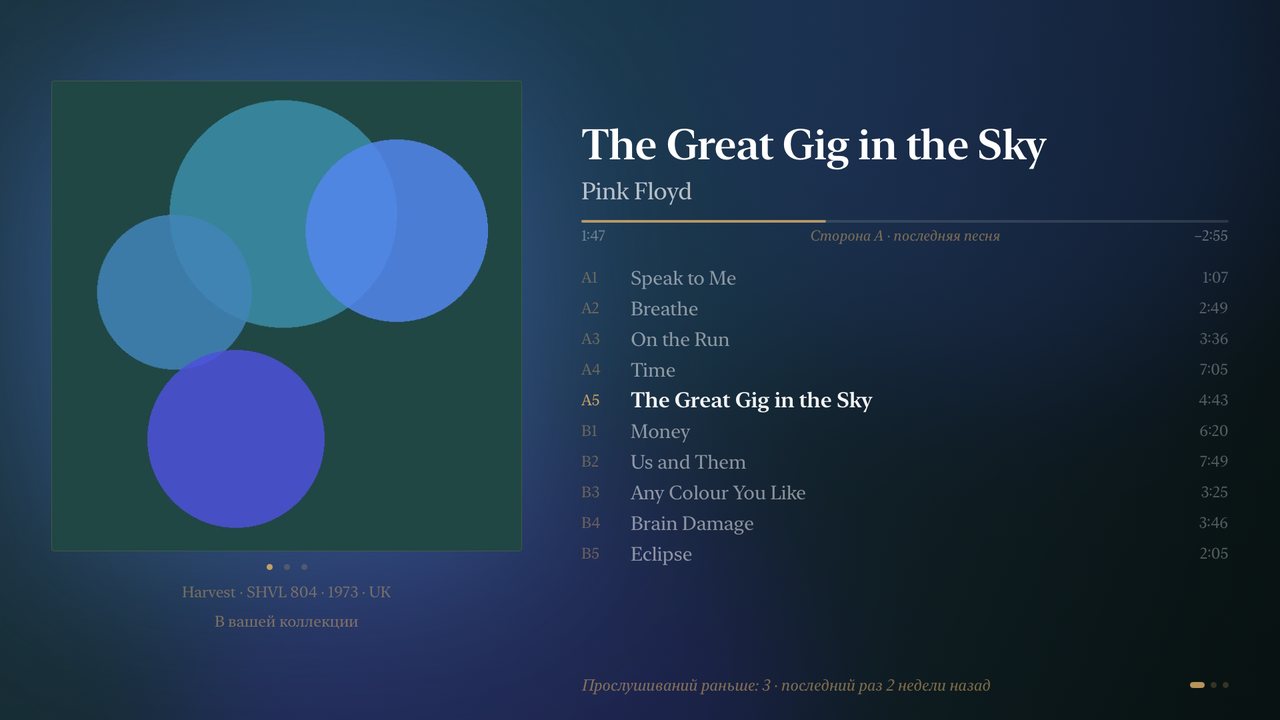
Экран телевизора.
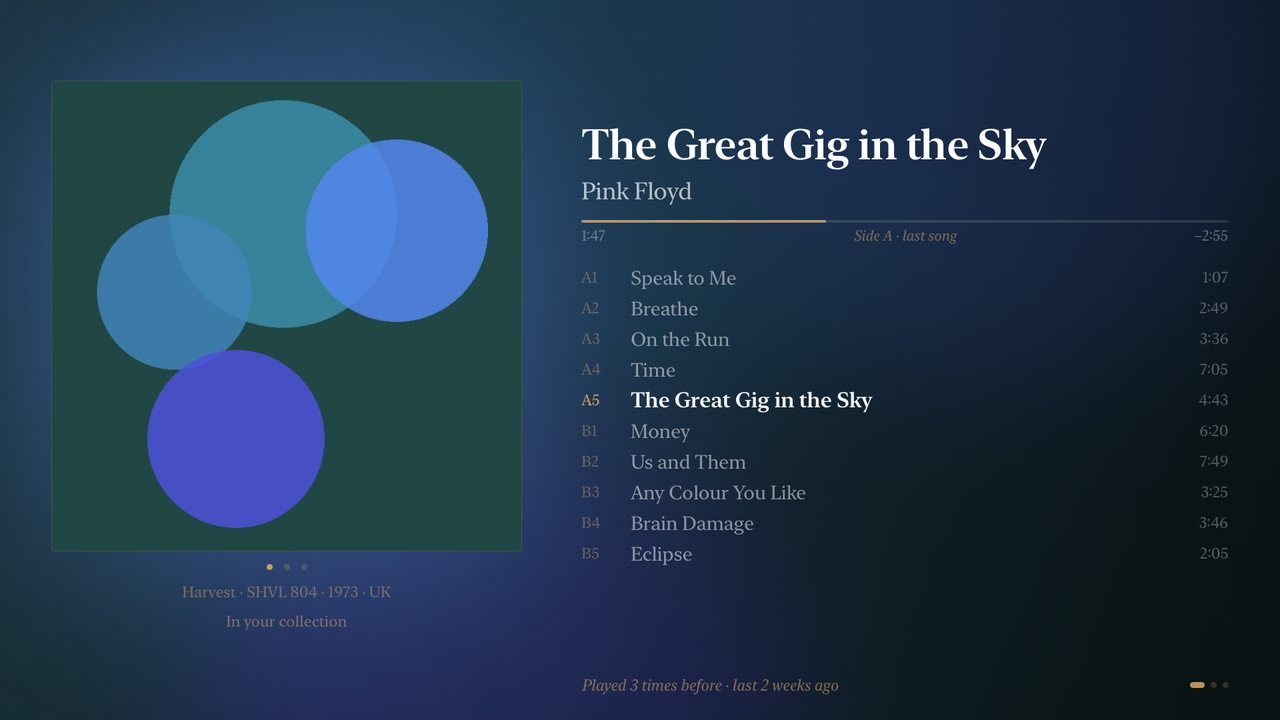
The television screen.
Что умеетWhat it does
- Узнаёт трек, находит альбом и издание и показывает, где сейчас игла: A3, B1.Recognises the track, finds the album and the pressing, and shows where the needle is: A3, B1.
- Напоминает перевернуть пластинку, когда сторона закончилась.Reminds you to turn the record over when a side ends.
- Live Activity и Dynamic Island с конвертом и треком, виджеты.Live Activity and Dynamic Island with the sleeve and the track, and widgets.
- Лампы в комнате в цвет конверта и сцены «Дома» в начале и в конце пластинки.Room lamps in the colour of the sleeve, and Home scenes as a record starts and ends.
- Редкие пластинки, которых не знает Shazam, можно «научить».Rare records Shazam does not know can be taught.
Как устроеноHow it's built
- Распознавание на ShazamKit; для редких пластинок приложение ведёт собственный каталог отпечатков.Recognition is ShazamKit; for rare records the app keeps a signature catalogue of its own.
- Сторона и позиция трека берутся из Discogs по конкретному изданию, коллекция синхронизируется с аккаунтом Discogs.The side and track position come from Discogs for the exact pressing, and the collection syncs with a Discogs account.
- Телевизор — отдельное приложение-дисплей. Телефон находит его по Bonjour и шлёт снимки состояния по TCP; протокол описан в репозитории.The television is a separate display app. The phone finds it over Bonjour and sends state snapshots over TCP; the protocol is documented in the repository.
- Дисплеев три: Apple TV на Swift, Android TV на Kotlin и Compose и страница в браузере, которую телефон отдаёт сам.There are three displays: Apple TV in Swift, Android TV in Kotlin and Compose, and a browser page served by the phone itself.
- Библиотека на SwiftData с синхронизацией через iCloud.The library is SwiftData with iCloud sync.
- Около двухсот тестов на трёх платформах, сборка проверяется в GitHub Actions.About two hundred tests across three platforms, with builds checked in GitHub Actions.
Учить НотыLearn Notes
Нотный стан, пианино, слух и гитара.Staff, piano, ear and guitar.
- ПлатформыPlatforms
- iPhone, iPad, iOS 16+
- СтекStack
- Swift, SwiftUI, AVFoundation, Accelerate, GameKit; без сторонних библиотекSwift, SwiftUI, AVFoundation, Accelerate, GameKit; no third-party libraries
- ПубликацияReleased
- App Store с 2019 годаApp Store since 2019
Тренажёр чтения нот короткими партиями. Пять игр тренируют нотный стан, пианино, слух и гитару, а ноты, в которых вы ошибаетесь, возвращаются, пока не начнут получаться.A trainer for reading music in short sessions. Five games train the staff, the piano, the ear and the guitar, and the notes you miss come back until they stick.
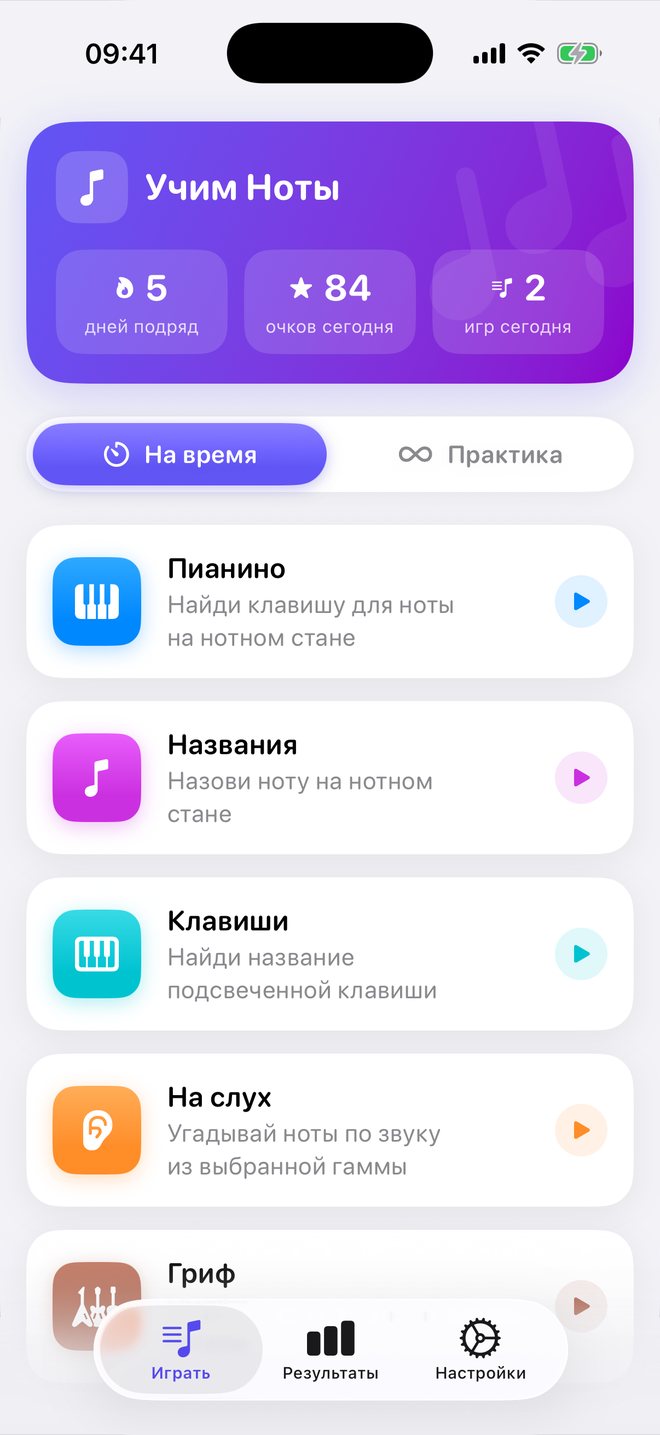
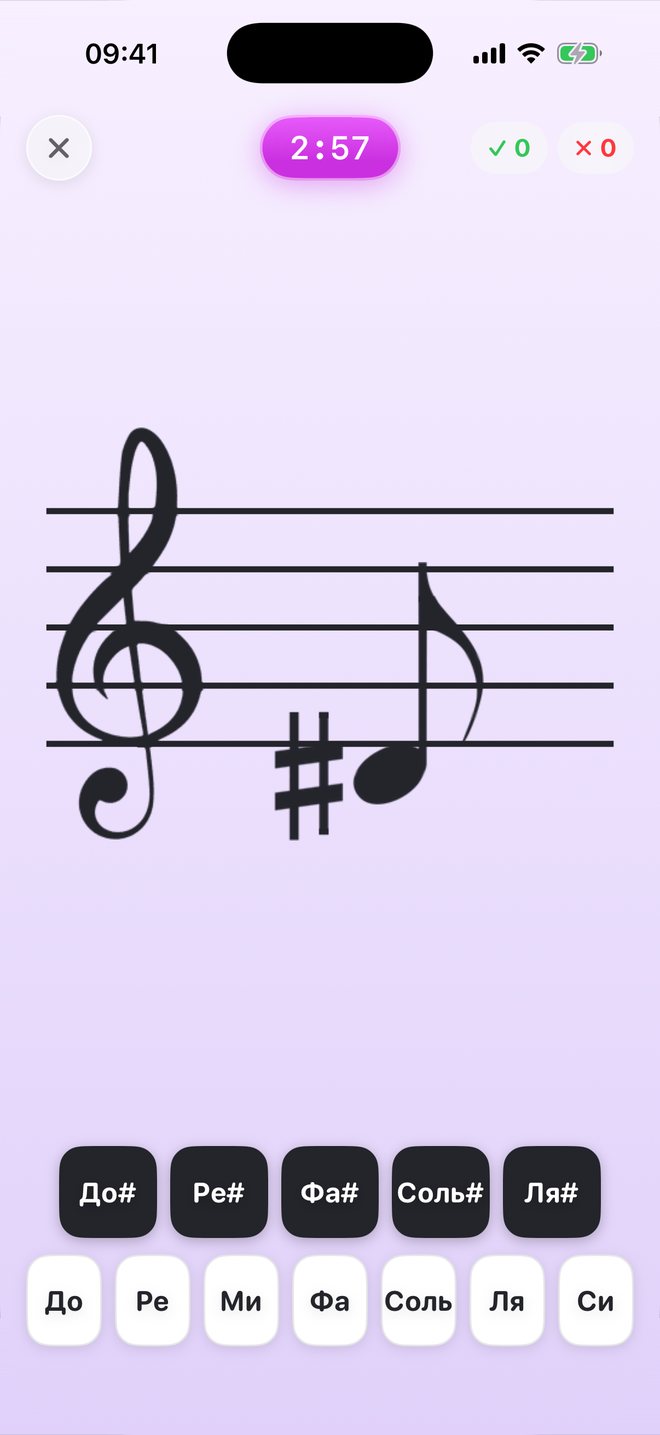
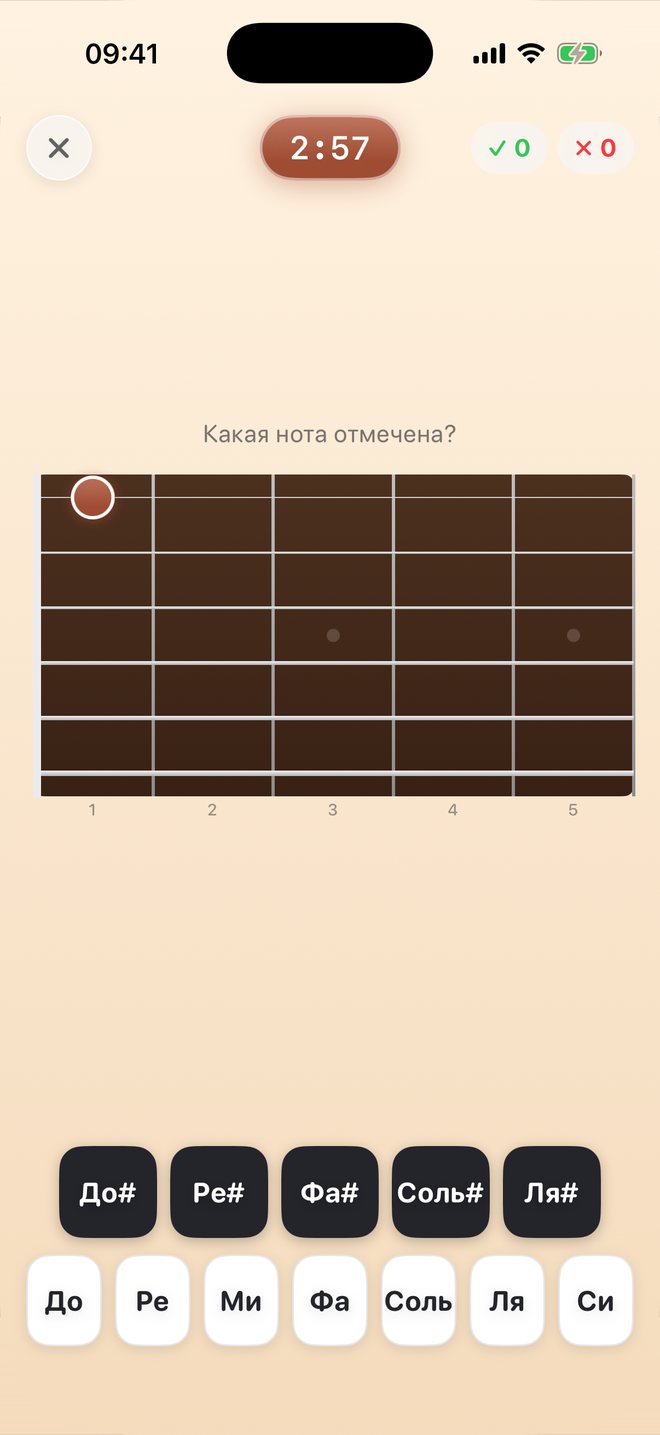
Выбор игры, «Названия» и «Гриф».
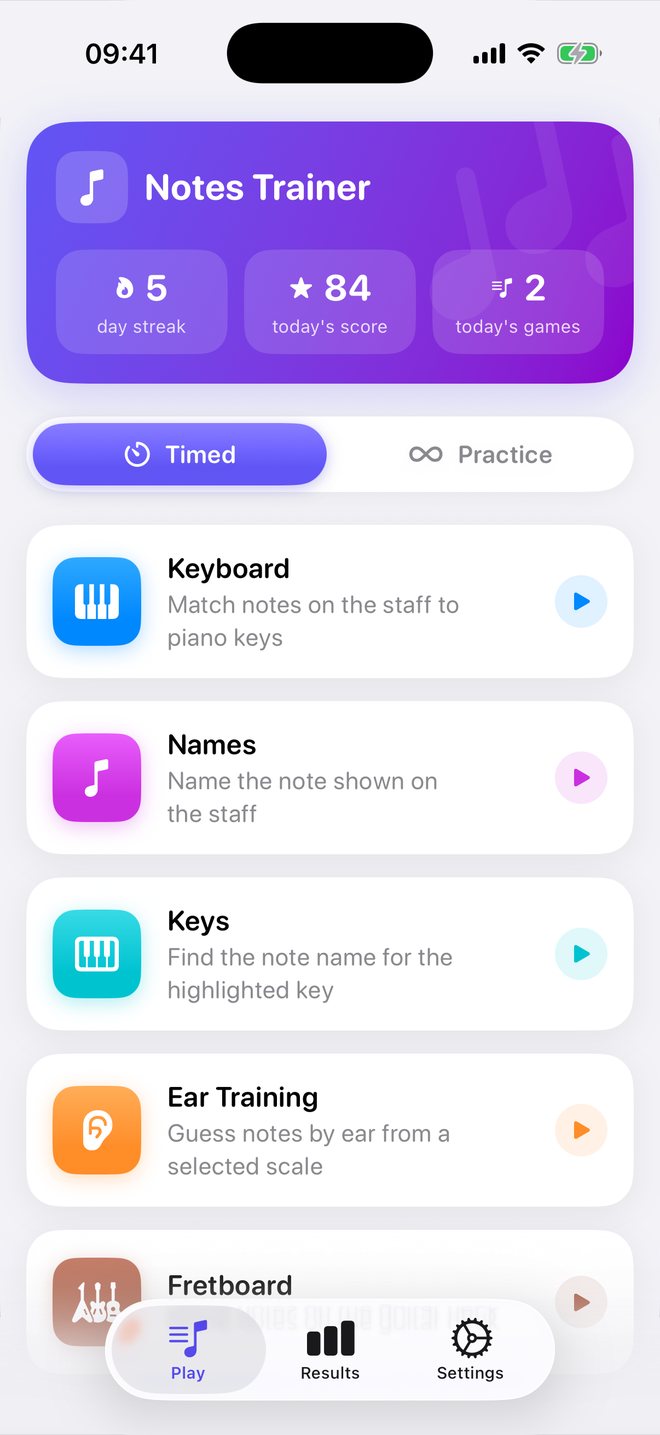
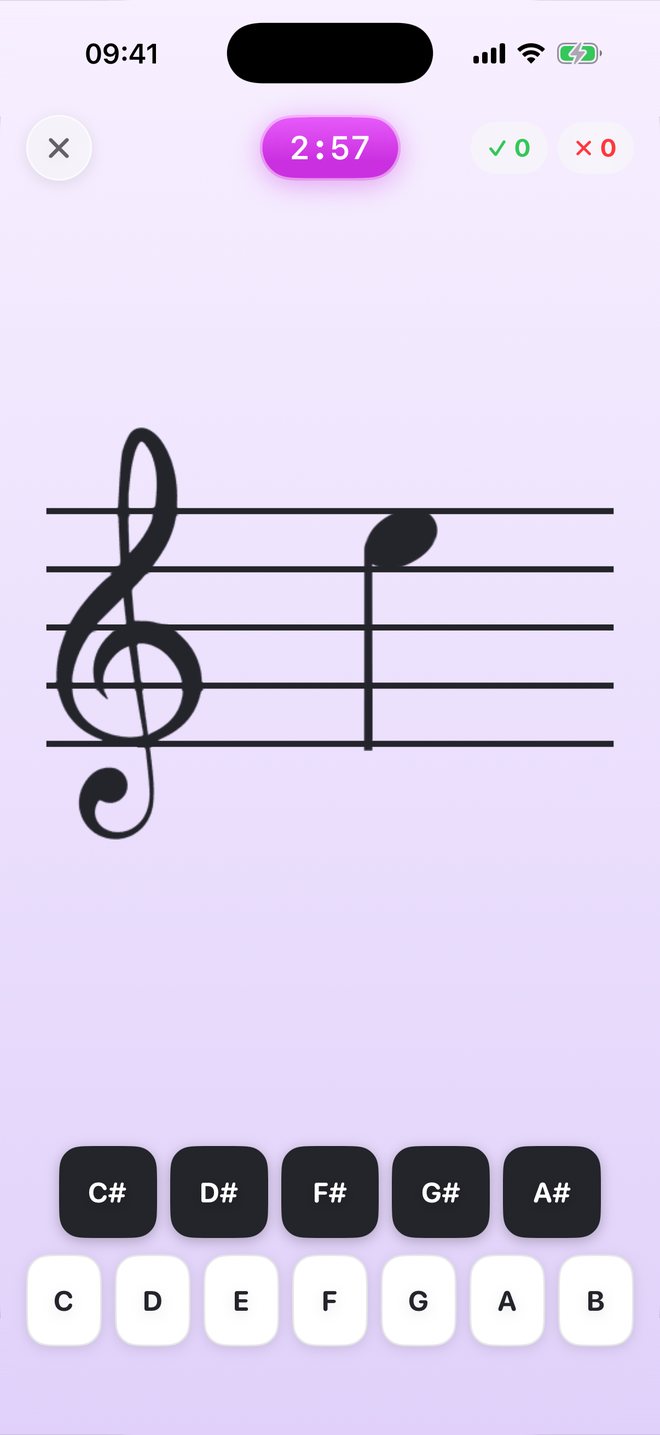
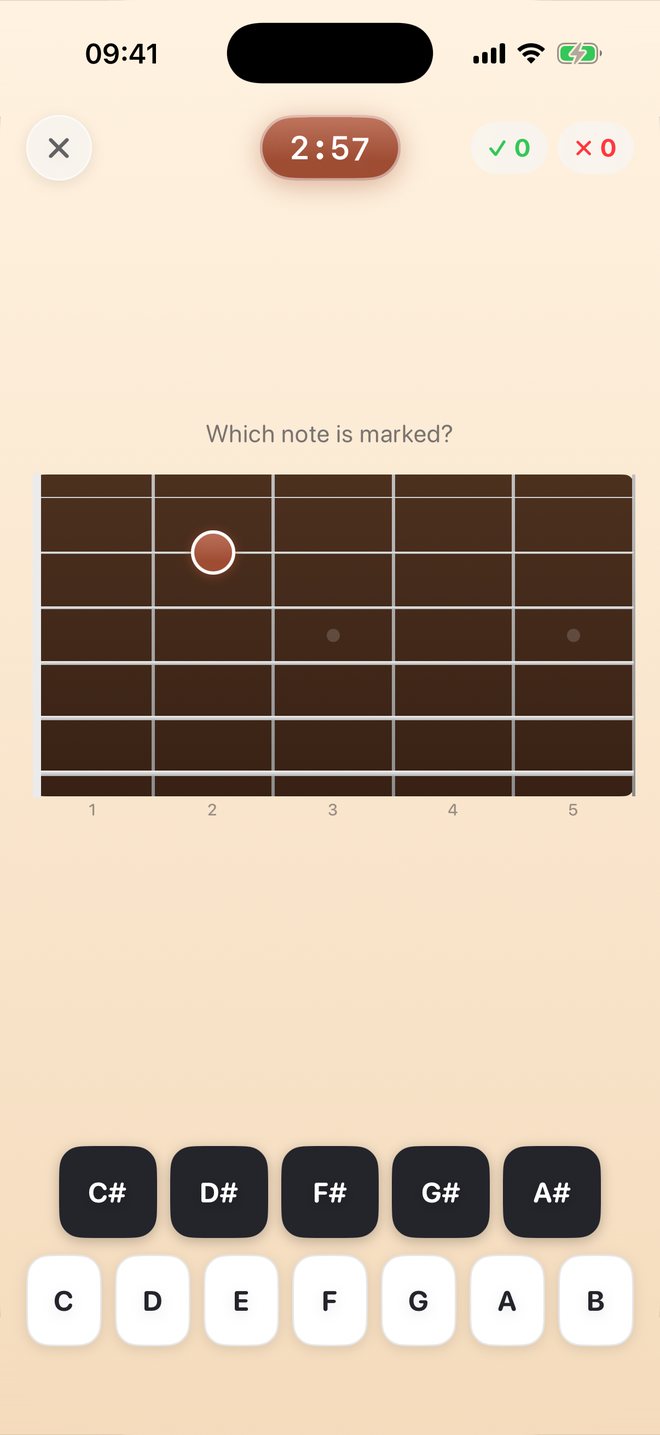
Choosing a game, Names and Fretboard.
Что умеетWhat it does
- Пианино. На стане появляется нота, её нужно взять на клавиатуре.Keyboard. A note appears on the staff; play it on the piano.
- Названия и Клавиши. Назвать ноту на стане или подсвеченную клавишу.Names and Keys. Name the note on the staff or the key that lights up.
- На слух. Нота, интервал или короткая фраза; ответить можно кнопками или спеть.Ear Training. A note, an interval or a short phrase; answer with the buttons or sing it.
- Гриф. Назвать ноту на грифе гитары или сыграть её на настоящей гитаре: приложение слышит, верно ли.Fretboard. Name the note on the guitar neck, or play it on a real guitar: the app hears whether it is right.
Как устроеноHow it's built
- Высота звука с микрофона определяется алгоритмом YIN на Accelerate, с отдельными настройками для инструмента и голоса.Pitch from the microphone is detected with the YIN algorithm on Accelerate, tuned separately for an instrument and for the voice.
- Пока приложение само играет подсказку, оно себя не слушает.While the app plays a hint itself, it does not listen to itself.
- Звук: сэмплер AVAudioEngine с саундфонтами пианино и гитары.Sound: an AVAudioEngine sampler with piano and guitar SoundFonts.
- Следующая нота выбирается с весами: ошибки возвращаются чаще, короткие повторы исключены.The next note is picked by weight: mistakes come back more often, and quick repeats are ruled out.
- Статистика по каждой ноте синхронизируется через iCloud, таблицы рекордов в Game Center.Per-note statistics sync through iCloud, with leaderboards in Game Center.
Film Photo Logger
Журнал плёночного фотографа.A notebook for film photographers.
- ПлатформыPlatforms
- iPhone, iPad, iOS 15+
- СтекStack
- Swift, UIKit, Core Data, CloudKit, MapKit, AVFoundation
- ПубликацияReleased
- App Store с 2023 годаApp Store since 2023
У плёночного кадра нет метаданных, поэтому их записывают руками: плёнка, камера, объектив, выдержка и диафрагма, место съёмки. Приложение хранит эти записи и помогает проявить плёнку по рецепту.A film frame carries no metadata, so it is written down by hand: the roll, the camera, the lens, shutter speed and aperture, the place. The app keeps these records and helps develop the roll by a recipe.
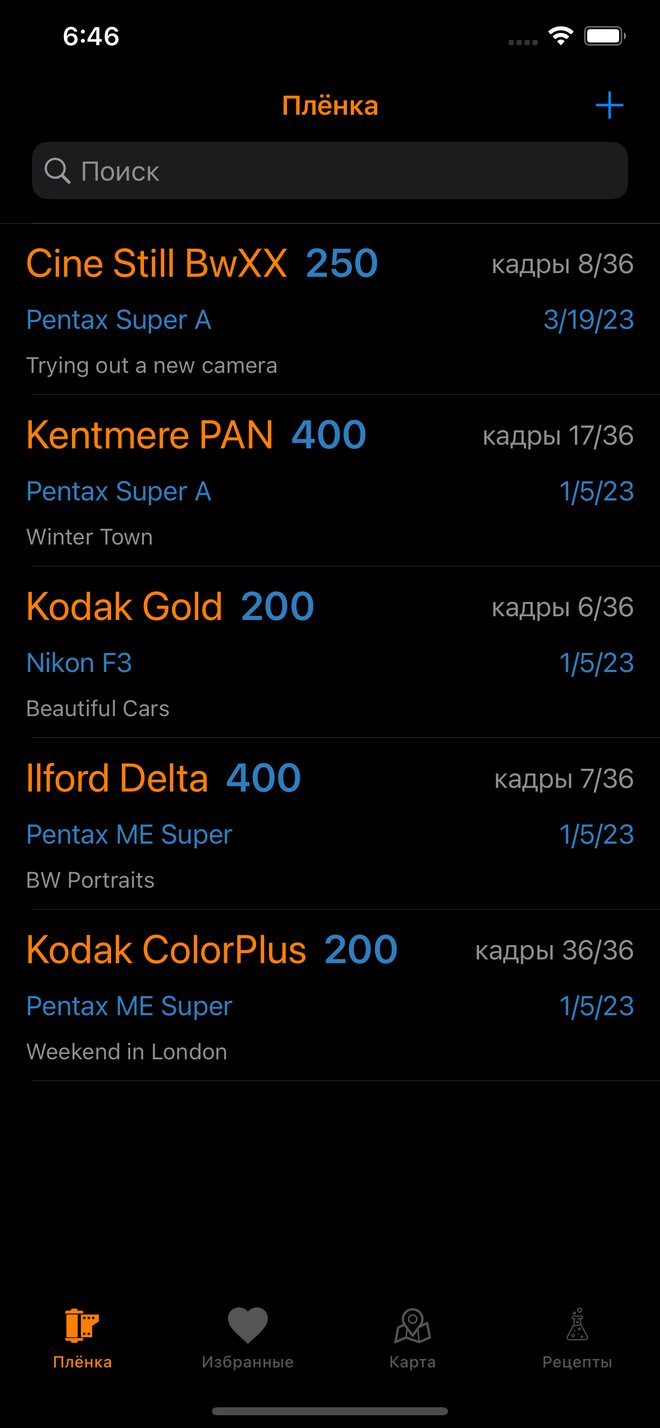
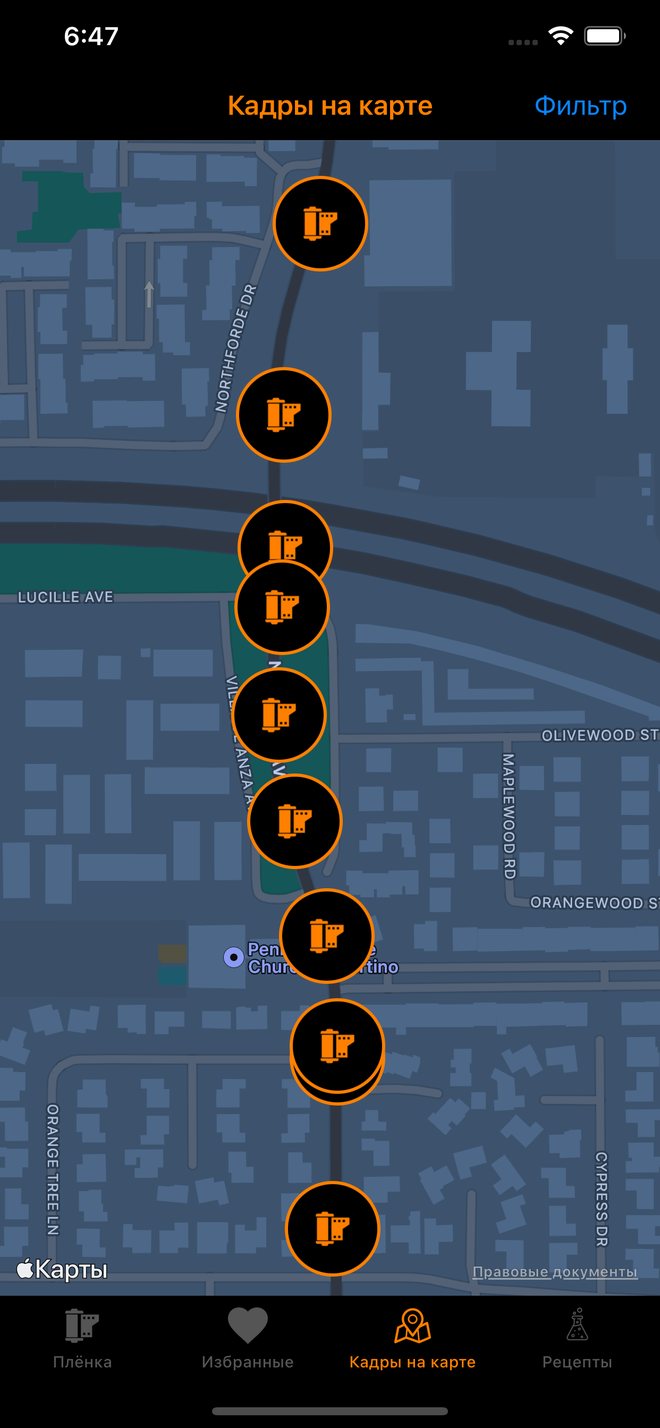
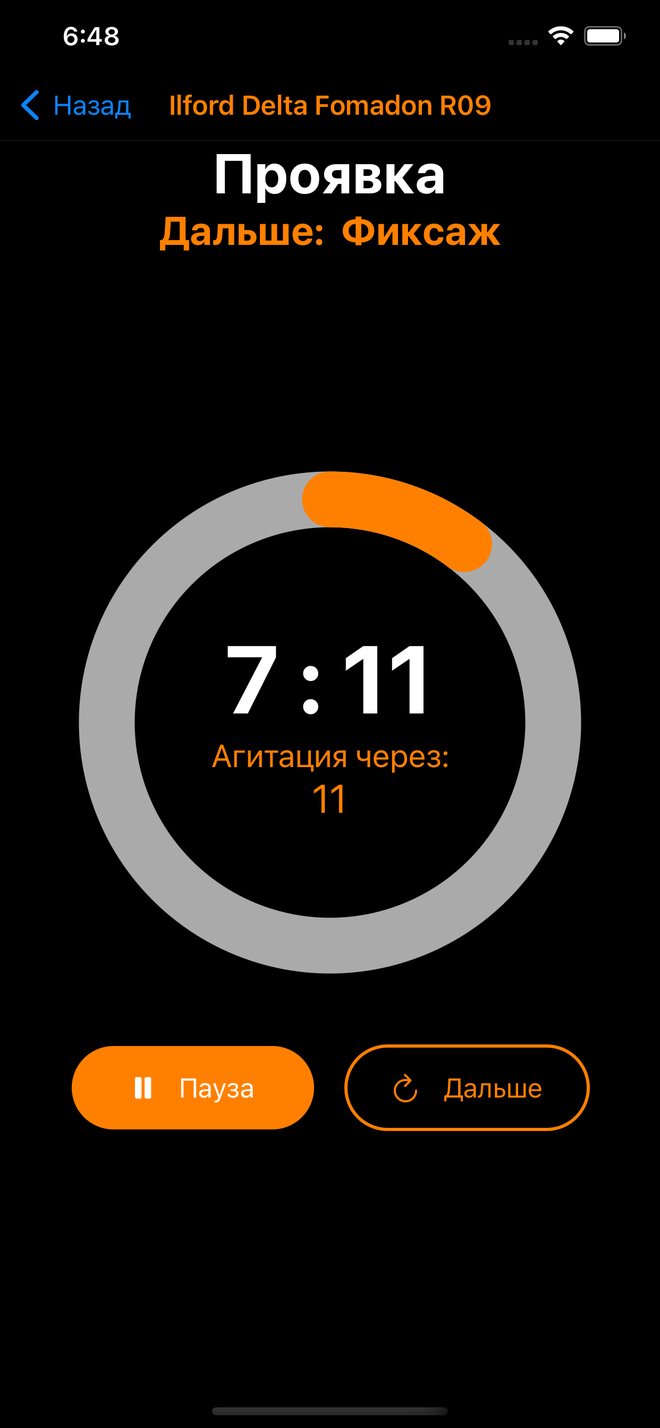
Плёнки, карта кадров, таймер проявки.
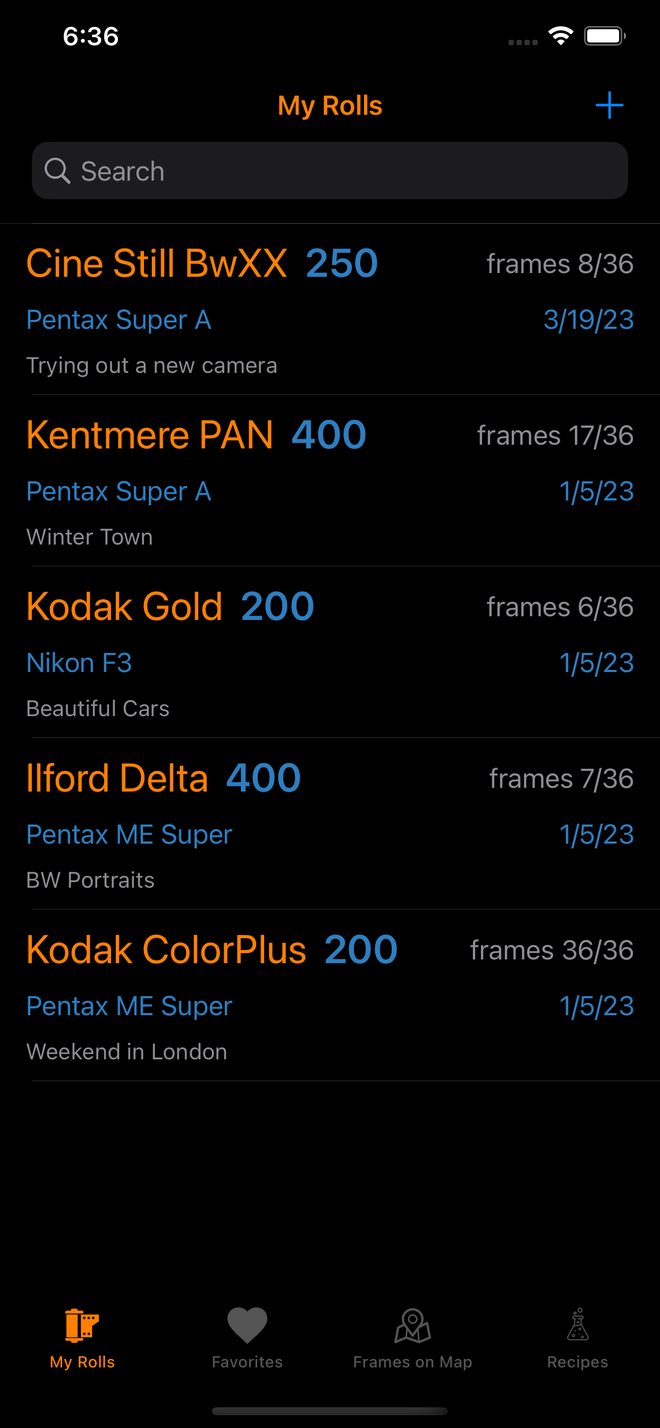
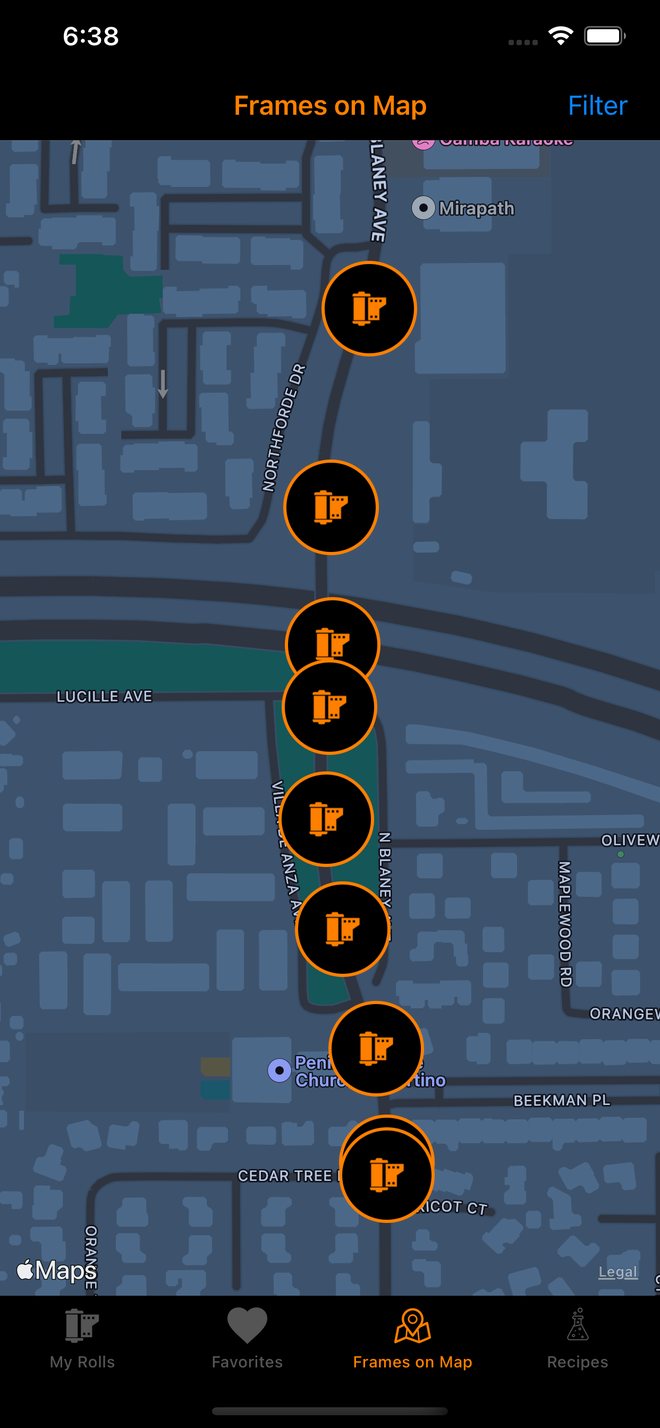
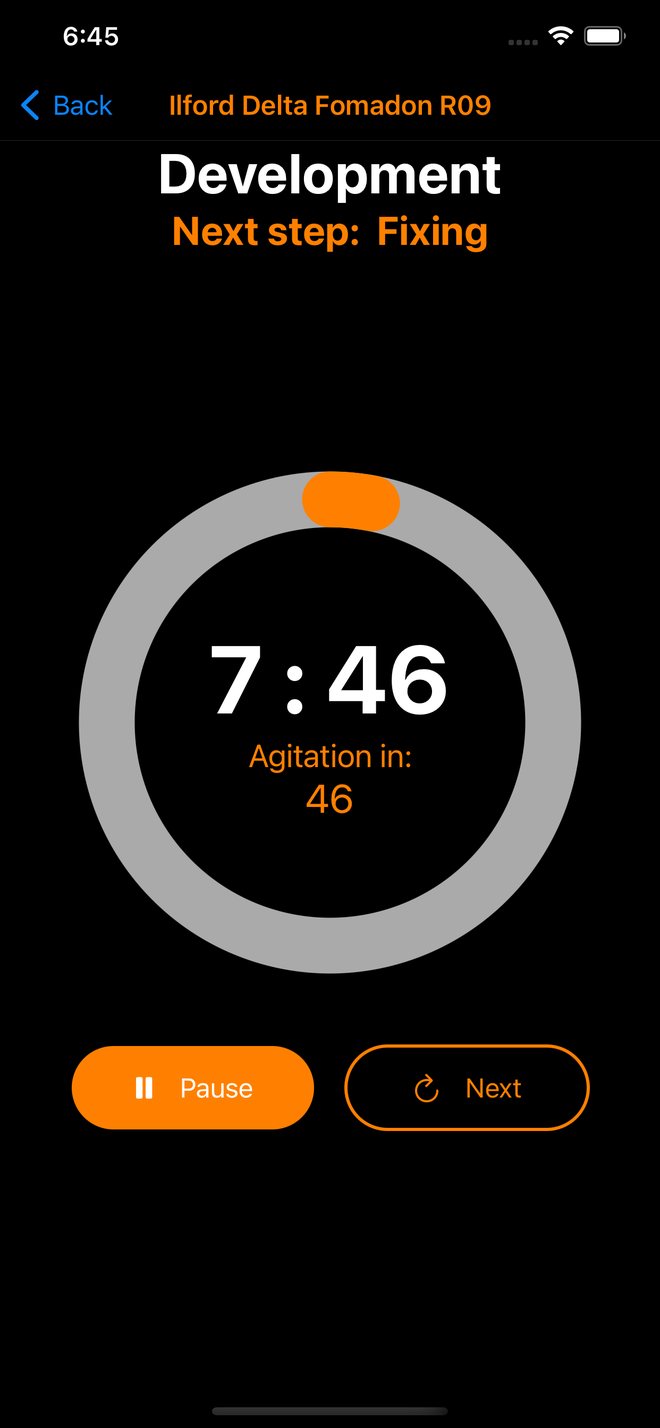
Rolls, the map of frames, the development timer.
Что умеетWhat it does
- Плёнки и кадры: экспозиция, объектив, вспышка, фото и голосовая заметка к кадру.Rolls and frames: exposure, lens, flash, a photo and a voice memo for the frame.
- Карта всех кадров с фильтром по плёнкам.A map of all frames, filtered by roll.
- Рецепты проявки и таймер по шагам: проявитель с агитацией, стоп-ванна, фиксаж, промывка.Development recipes and a step-by-step timer: developer with agitation, stop bath, fixer, wash.
- Общая база рецептов, которыми делятся пользователи.A shared base of recipes contributed by users.
Как устроеноHow it's built
- Интерфейс на UIKit кодом, без сторибордов: каждый экран — пара из контроллера и корневого вида.The interface is UIKit in code, no storyboards: each screen is a controller paired with a root view.
- Данные в Core Data с синхронизацией через iCloud (NSPersistentCloudKitContainer).Data lives in Core Data and syncs through iCloud (NSPersistentCloudKitContainer).
- Общие рецепты хранятся в публичной базе CloudKit, без своего сервера.Shared recipes are kept in the public CloudKit database, with no server of its own.